
Connect an agent to your data
MCP (Model Context Protocol) is the standard way an agent plugs into an outside tool. Search Stack runs an MCP server, so handing an agent a key gives it Search Stack's tools — search, suggest, and (with a write-capable key) create, import, edit and delete. The agent picks the tool from what you ask in plain English.
Make a key for the agent
In the console Developers tab, create an API key. What you can do through the agent is exactly what the key allows:
- Read-only (
search-result:read) — the agent can only search and read. Safe for an assistant that answers questions. - Write-capable (add
list:create,search-result:create,search-result:edit,search-result:remove) — the agent can load and manage data, as this lesson does.
The create dialog offers those as presets — Search and read, Read all, or All — and lets you tick individual permissions. Name the key after who's holding it.
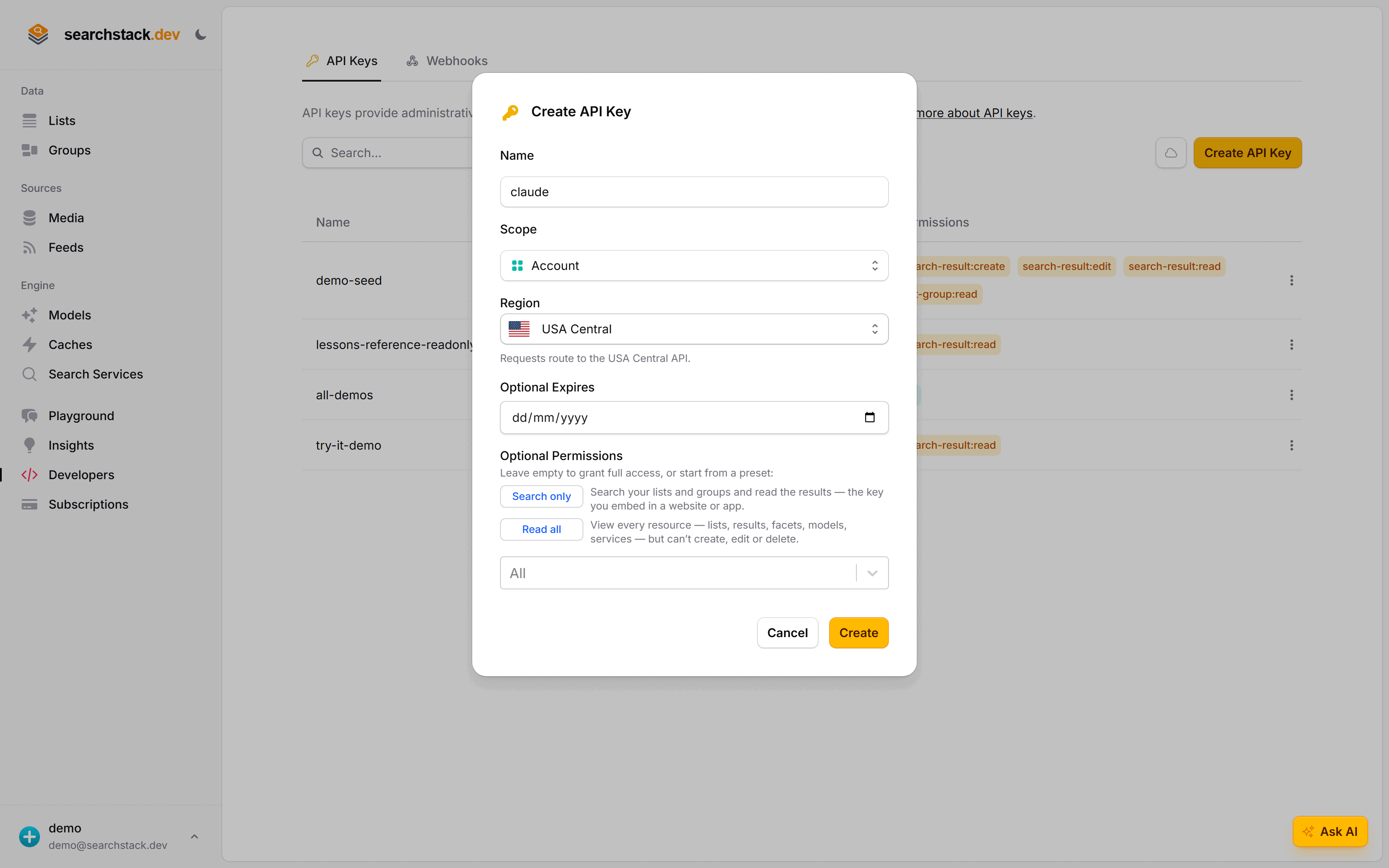
Connect Claude
One command points Claude at your account's MCP server with that key:
claude mcp add --transport http searchstack https://mcp.searchstack.dev/ \
  --header "X-API-Key: YOUR_API_KEY"
No SDK, no server to run. Any MCP-speaking agent works the same way — one server entry in its configuration:
{
  "mcpServers": {
    "searchstack": {
      "url": "https://mcp.searchstack.dev/",
      "headers": { "X-API-Key": "YOUR_API_KEY" }
    }
  }
}
Ask it “what lists do I have?” and it reads your account and tells you.
Go deeper: API keys — scopes, permissions, and read-only keys in the reference.