
API keys
An API key lets your code do what you do in the console — create, update and delete records, add fields, use the rest of the API — without a person signing in.
Give every program its own key — a read-only one for your website’s search box, a full one for your import script — so you can see which program did what, and delete one without disturbing the others.
What an API key is for
An API key lets your code do what you do in the console — create, update and delete records over the API. Keys live under Developers → API Keys, each showing its scope and region. Give each integration its own key so you can see who’s doing what and revoke one without disturbing the others.
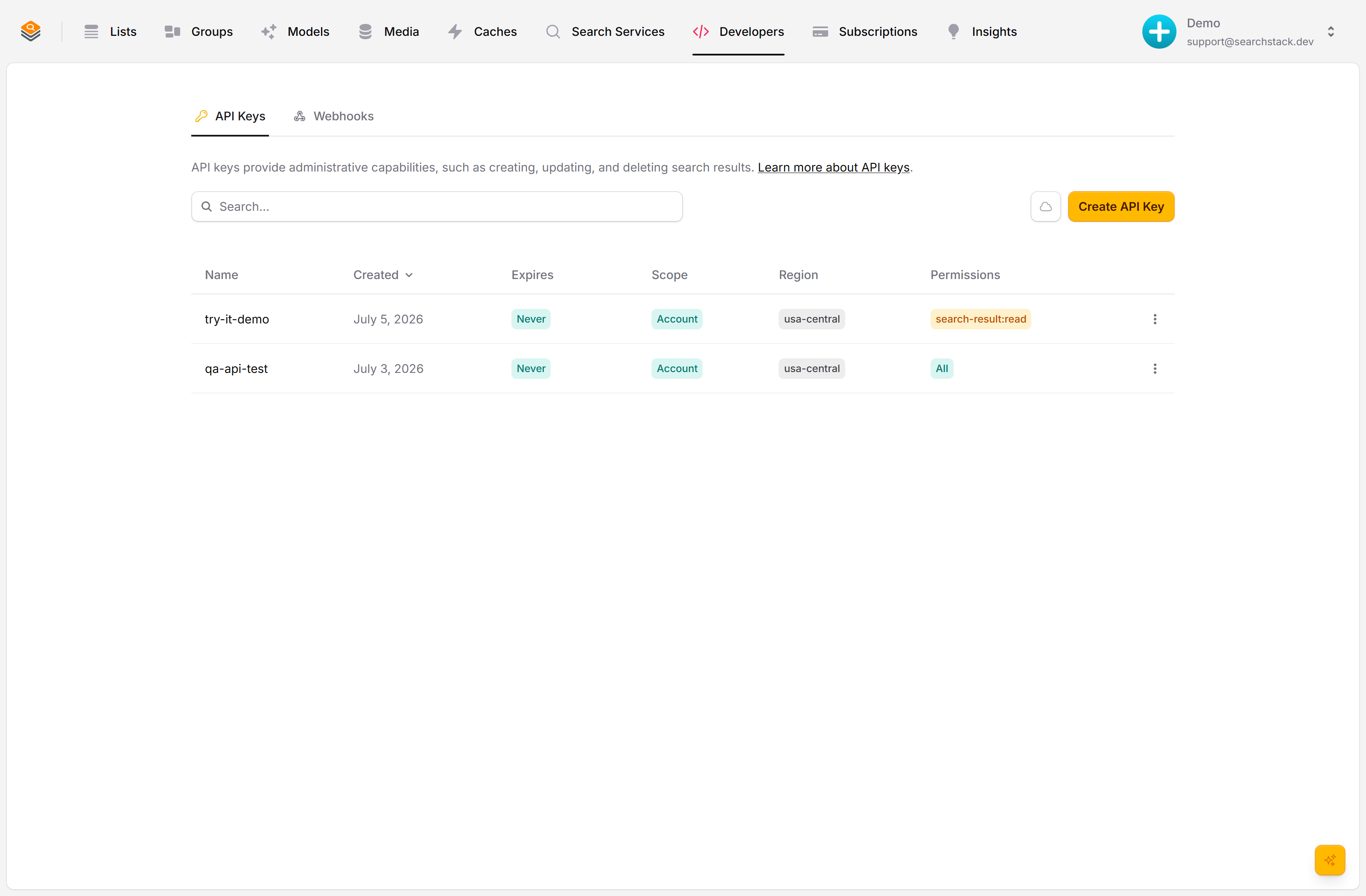
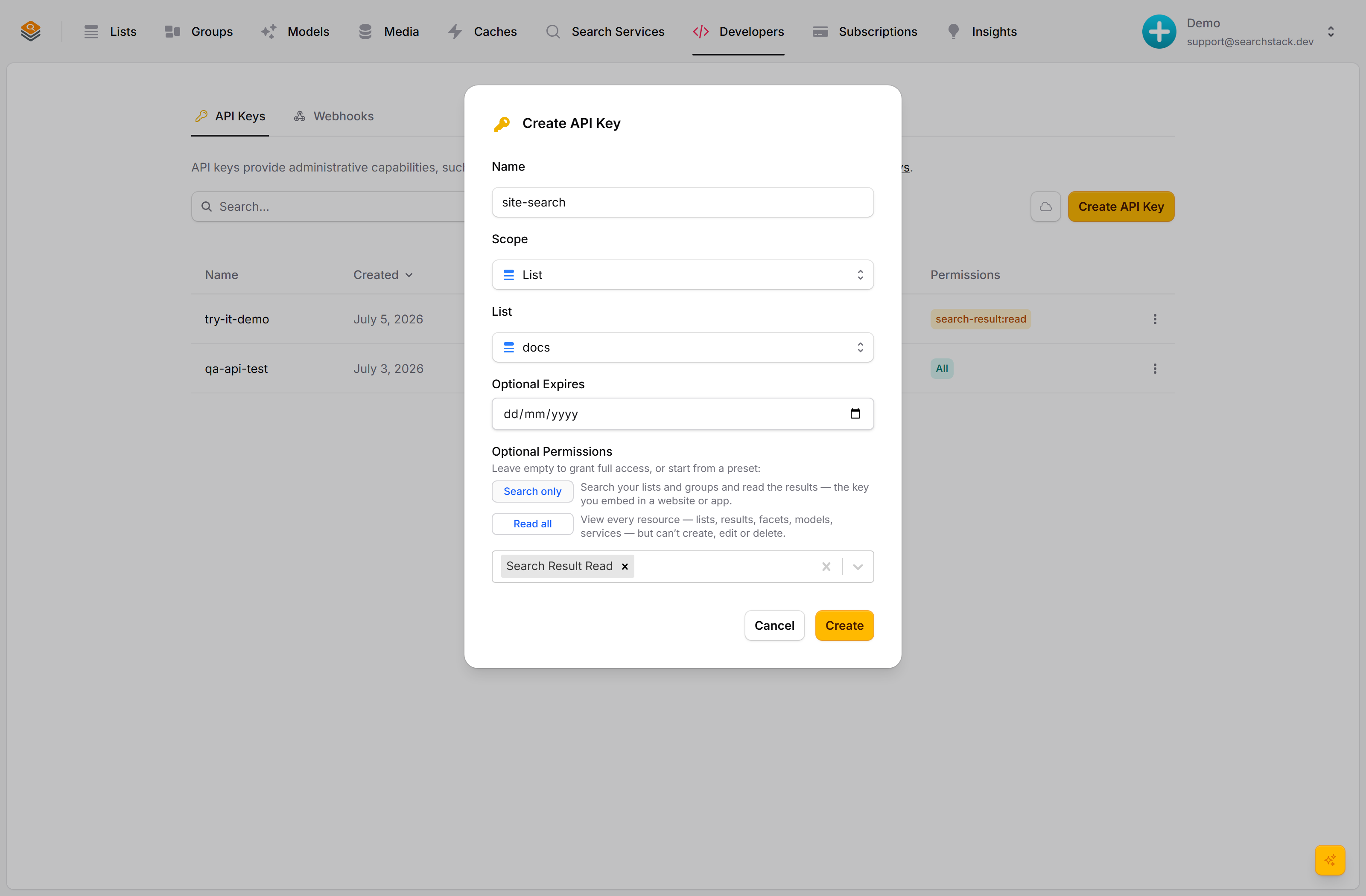
Scope it and route its region
Name the key, then choose its scope — the whole account, a single group, or a single list. An account key defaults to your home region; the Region dropdown routes its requests to the right regional API. Optionally set an expiry and pick permissions — leave them empty for full access, or tick just what the integration needs.
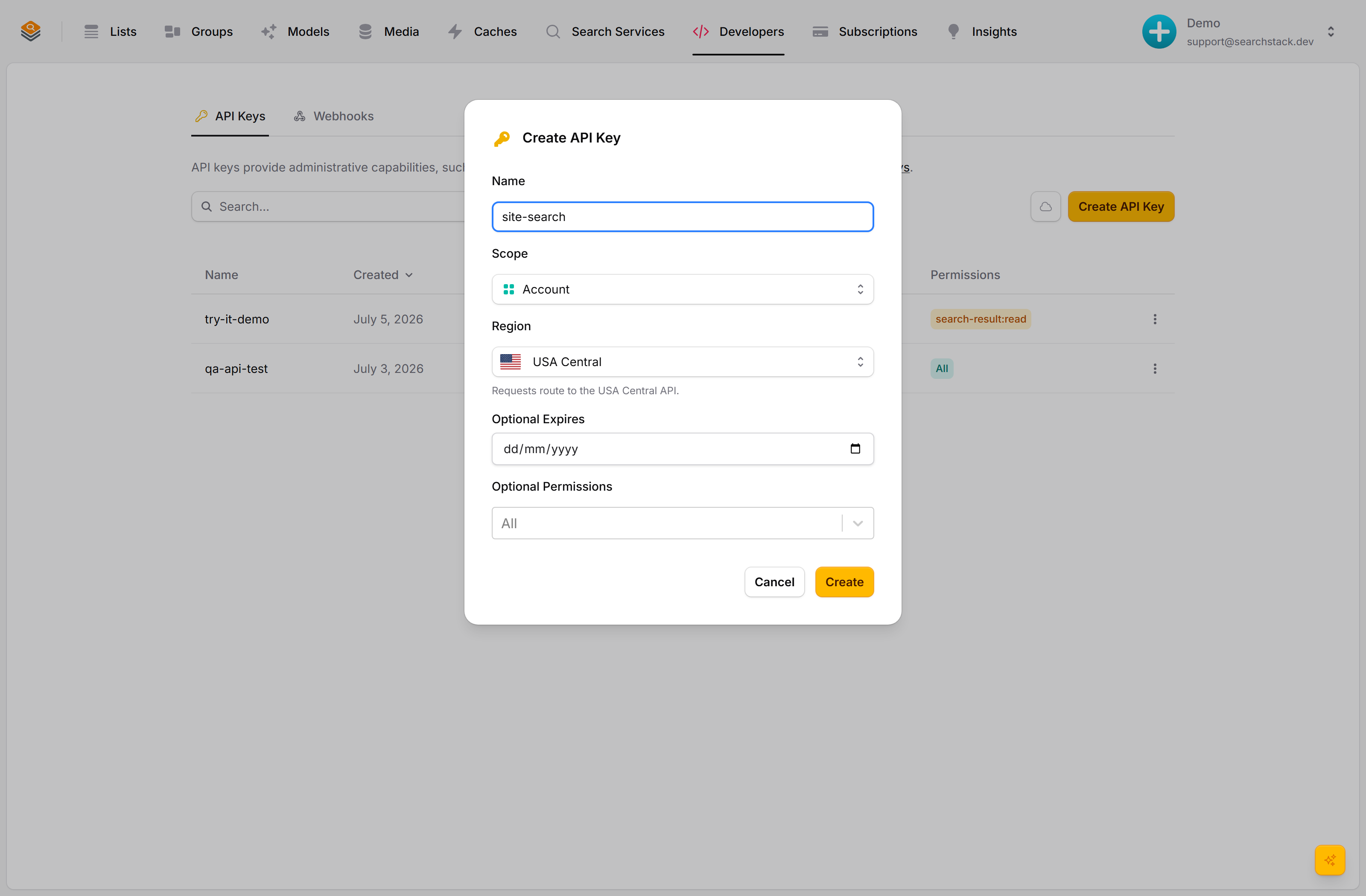
A read-only key for a browser embed
For a browser embed, scope the key to one list and hit the Search only preset — read-only, that list and nothing else. A list- or group-scoped key takes its region automatically. Click Create and the secret is shown once — copy it now. Leaked or rotating? Delete it (revocation is immediate) and only that one integration needs a new value.
Auto-plays · use Back / Next to step through at your own pace.
Create a key
- Go to Developers → API Keys and click Create API Key.
- Give it a name that says what it’s for:
ci-deploy,catalogue-sync. - Pick its scope (whole account, one list, one group) and its access, which starts at Search and read. Under Advanced, set an expiry date and pick individual permissions.
- Click Create. The secret is shown once — copy it now. It is never shown again.
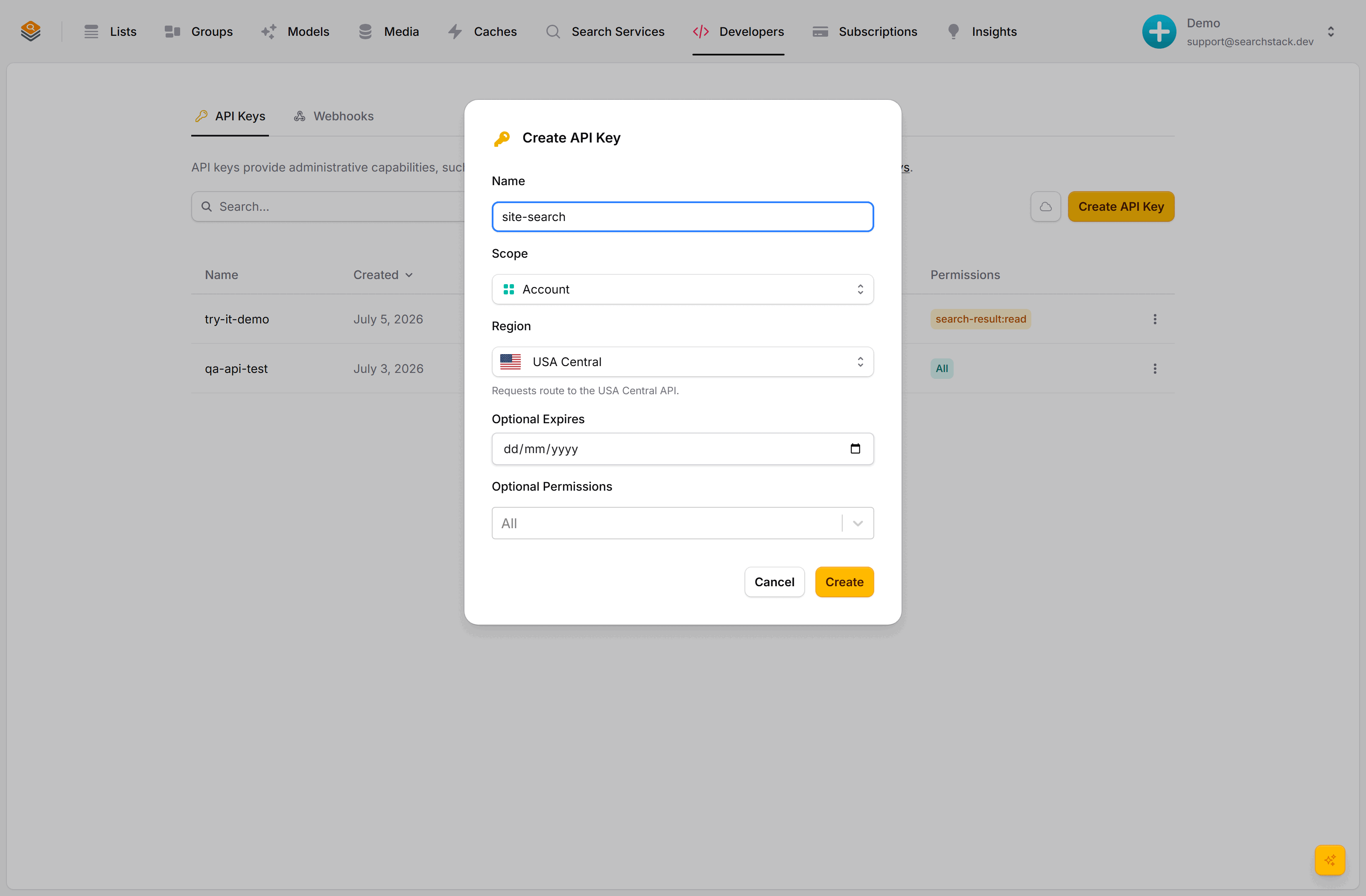
Scope: account, list or group
Two separate settings: scope is where a key reaches, permissions are what it can do there.
| Scope | Reaches |
|---|---|
| Whole account (default) | Every list and group, like your console session. Right for back-office tools and build jobs. |
| A single list | One list only — never another list, any group, or your account settings. |
| A single group | One group and the lists in it. |
A key for a web page (autocomplete, public search box) should be list-scoped and read-only: site-search over your products list, Search and read access.
- It sits in your page’s JavaScript for anyone to read, so scope is the protection: another list name in the URL returns
403. - Scope does not hide records inside that list — a read key can page through every one, so only embed over a list you would publish whole.
- No key can be limited to part of a list. For per-visitor records, query from your own server and filter there.
- Lock it to your websites so another site can’t embed it:
allowed_originssuch as["example.com", "*.example.com"]. A request from any other site (by itsOrigin, orReferer) gets403 origin-not-allowed.
Scope also sets the region prefix (ssk_us_…), routing requests to that region’s servers. List- and group-scoped keys take the region from the list or group; a whole-account key defaults to your account’s home region, changeable in the Region dropdown (the regions with an API deployment). Region picks the nearest servers only: an account key works everywhere, so a “wrong” choice costs a slower round trip, not a broken key.
Access: just what it needs
Give a key only the operations its program performs. Access offers three ready-made settings and starts on the narrowest.
| Access | Can do |
|---|---|
| Search and read (default) | Search your lists and groups and read their records, paging through every record in scope. The key for a website or app. |
| Read all | View everything (lists, results, facets, models, services); create, edit and delete nothing. |
| Full access | Every operation, including deleting data. Fine for a trusted back-office tool, risky for anything the public can reach — treat the secret like a password. |
For anything in between, open Advanced and tick individual permissions — grouped by area (account, analytics, API keys, records, fields, evals, media and more), with Access switching to Custom. A key that only adds records needs record-write permissions and nothing else, so a leak cannot delete your lists or read your account.
- Greyed out: console-only permissions no API key can use (e.g.
feed:create,reranker:view). - Models (
model:*): a key adds or edits an embedding or answer model by naming a saved credential (credential_name); it cannot send a provider key and never sees one. - Analytics reports include the text visitors searched for. Read all and Full access keys can read them — a list- or group-scoped one for its list or the group’s lists — and so can a Custom key with
analytics:read. Search and read cannot. - Two routes reach that text without
analytics:read: user generated suggestions (generated-suggestions:createor:edit) copy past searches into a list, and query-rule inference from searches (query-rule:create) returns example searches.
Keys work on the public API. A 403 where you expected success is almost always a missing permission — widen access and create a new key, or test with a Full access key.
Create a read-only key from the API
Key management stays in the console, with one exception: a key (or an agent using the MCP tools) holding api-key:create-read-only can create a read-only key of any scope — the building block for handing each page, or each customer of yours, its own narrow key.
POST to /api-key/read-only with the new key’s name, the account, the read permissions you want (anything ending :read or :view; writes are dropped, at least one read is required), and an optional scope/scope_target. The response carries the usable key once:
curl -X POST https://api.searchstack.dev/api-key/read-only \
  -H "X-API-Key: $ACCOUNT_KEY" -H "Content-Type: application/json" \
  -d '{ "account_name": "acme", "api_key_name": "site-search",
        "permissions": ["search-result:read", "list:read"],
"scope": "list", "scope_target": "products" }'- The new key holds read permissions only, so it can never write and never create another key.
- Its scope can only match the creating key’s, or be narrower.
- It expires no later than the creating key: a later (or missing)
expires_utcis capped at the creating key’s expiry. - The endpoint is rate-limited.
- Both client libraries offer it (
client.ApiKeys.CreateReadOnly…). Shapes are in the API reference. - Delete a read-only key with
DELETE /api-key/read-only/{account}/{key}(client.ApiKeys.DeleteReadOnly…). Needsapi-key:delete-read-only, which no key has by default — only a key created naming it. Refused for a key that can write, a full-access key, and the calling key. - Lock a read-only key to websites with
PUT /api-key/read-only/{account}/{key}/allowed-originsand{ "allowed_origins": ["example.com"] }(client.ApiKeys.SetAllowedOrigins…); an empty list unlocks it. Needsapi-key:create-read-only. Takes effect within the hour. - Websites: a host (
example.com), any subdomain (*.example.com, not the apex) or a port (localhost:3000); the scheme is ignored, at most 20. A wildcard on a shared host (*.github.io,*.vercel.app, …) is refused; name your own subdomain instead. A key locked to websites can only create keys locked to the same websites or fewer. It stops another site embedding the key; it does not stop a script that fakes the header.
For an agent, include list:read: it lets the agent call GET /list/{account} and discover your list names, without which it reaches only lists you named exactly. GET /account returns the account name for any valid key; list-group:read does the same for groups.
Expiry, rotation and revocation
- Expiry — the key stops working after the date you set, on its own. Good for temporary access: a data move, a contractor.
- Rotation (swapping a key for a fresh one) — create a new key, switch your program over, delete the old one. Both work while you swap.
- Last used — the date each key last signed in (
last_used_utc), on the Developers page. When the old key’s date stops moving, it is safe to delete. - Revocation (cancelling a key) — deleting a key stops it working immediately. The fix for a leaked secret; with a key per program, only that one needs a new value.