
Connect your endpoint
The whole feed is one thing: a URL. An API feed reads it on a schedule and keeps a file in step with it.
What your endpoint returns
Any endpoint returning your records as JSON works — a bare array imports with sensible guessed fields. For full fidelity, return the common format: a first-line manifest declaring which field is searchable, which is a filter, which is a resource, and whether the file is a complete snapshot. The example endpoint does exactly that:
{"searchstack_format": 1, "snapshot": true, "fields": {"description": "vectorised", "brand": "facet", "price": "facet", "image_url": "resource"}}
{"id": "sku-1001", "name": "Summit 45 Backpack", "description": "A 45-litre trekking pack…", "brand": "Vireo", "price": 139.0, "image_url": "https://…"}
{"id": "sku-1002", "name": "Cloud Mesh Tee", "description": "A breathable merino top…", "brand": "Vireo", "price": 44.0, "image_url": "https://…"}id— your own identity, so an edit updates in place instead of duplicating. Each record also carries aname.snapshot: true— what lets deletions propagate, in the next step.- Your response is staged verbatim. Search Stack never reshapes your data.
Connect the feed
Go to Feeds (under Sources), choose Connect feed, then API. Give it a name and your endpoint's URL. If the endpoint needs a key, add one auth header — its value is stored encrypted and never shown again.
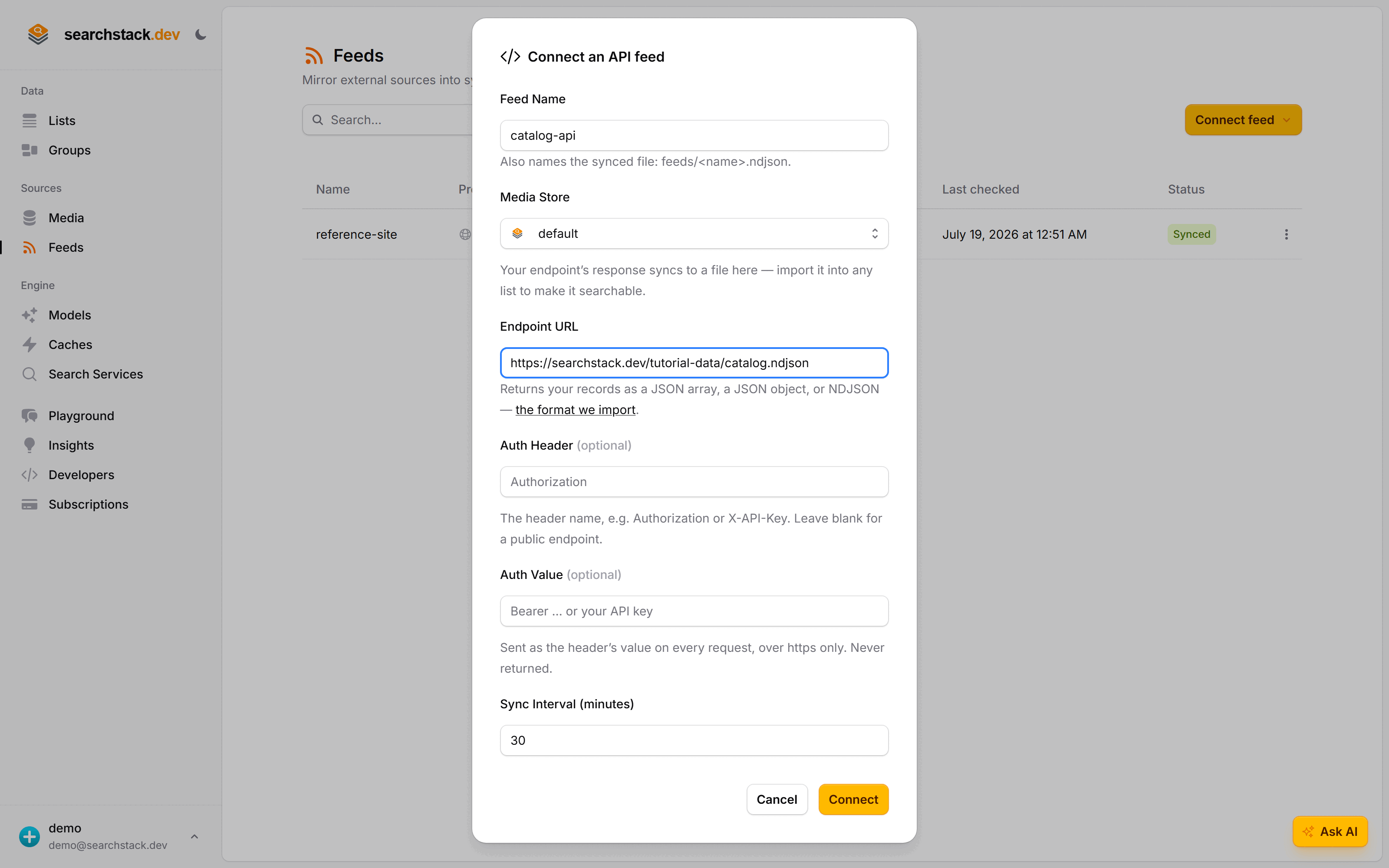
Or from code
POST https://api.searchstack.dev/feed/Demo/connect
X-API-Key: {your key}
Content-Type: application/json

{
  "feed_name": "catalog-api",
  "provider": "api",
  "api_url": "https://searchstack.dev/tutorial-data/catalog.ndjson"
}- Optional
api_auth_header+api_auth_valueadd that one header. It rides every read, so it never travels in the clear. - The URL must be
https://on a public host. - On connect the feed reads your endpoint once and stages the result into
feeds/catalog-api.sync. A bad URL or a non-JSON response fails here, before anything is saved.
Go deeper: The API feed — the format, the manifest, auth and SSRF posture in the reference.