
API Feed
Point us at one HTTPS URL (an endpoint — a web address that returns data) returning your records as JSON or CSV, and we keep a searchable list in sync with it: a /products endpoint of 2,000 items with name, price and colour, or a spreadsheet published to the web.
- Fetched on a schedule and saved exactly as sent, through the same importer that reads a file you upload.
- Syncing, linking a list and deleting work as on any feed; this page covers format, authentication and deletions.
Feeds → Connect feed → API endpoint
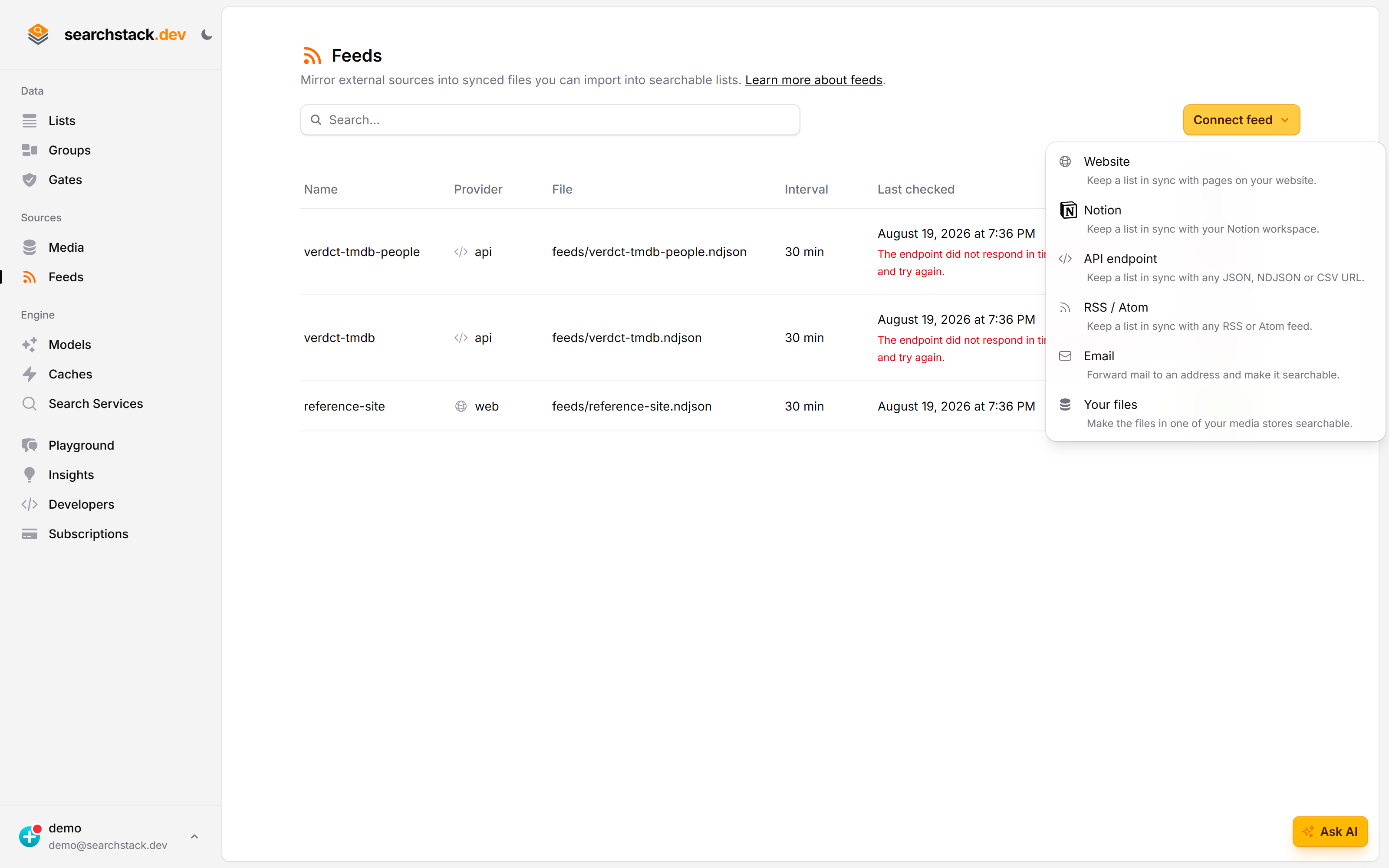
Every kind of feed starts in the same place, and the menu says in one line what each one is for. API endpoint keeps a list in sync with any JSON, NDJSON or CSV URL.
A URL, and a header if it needs one
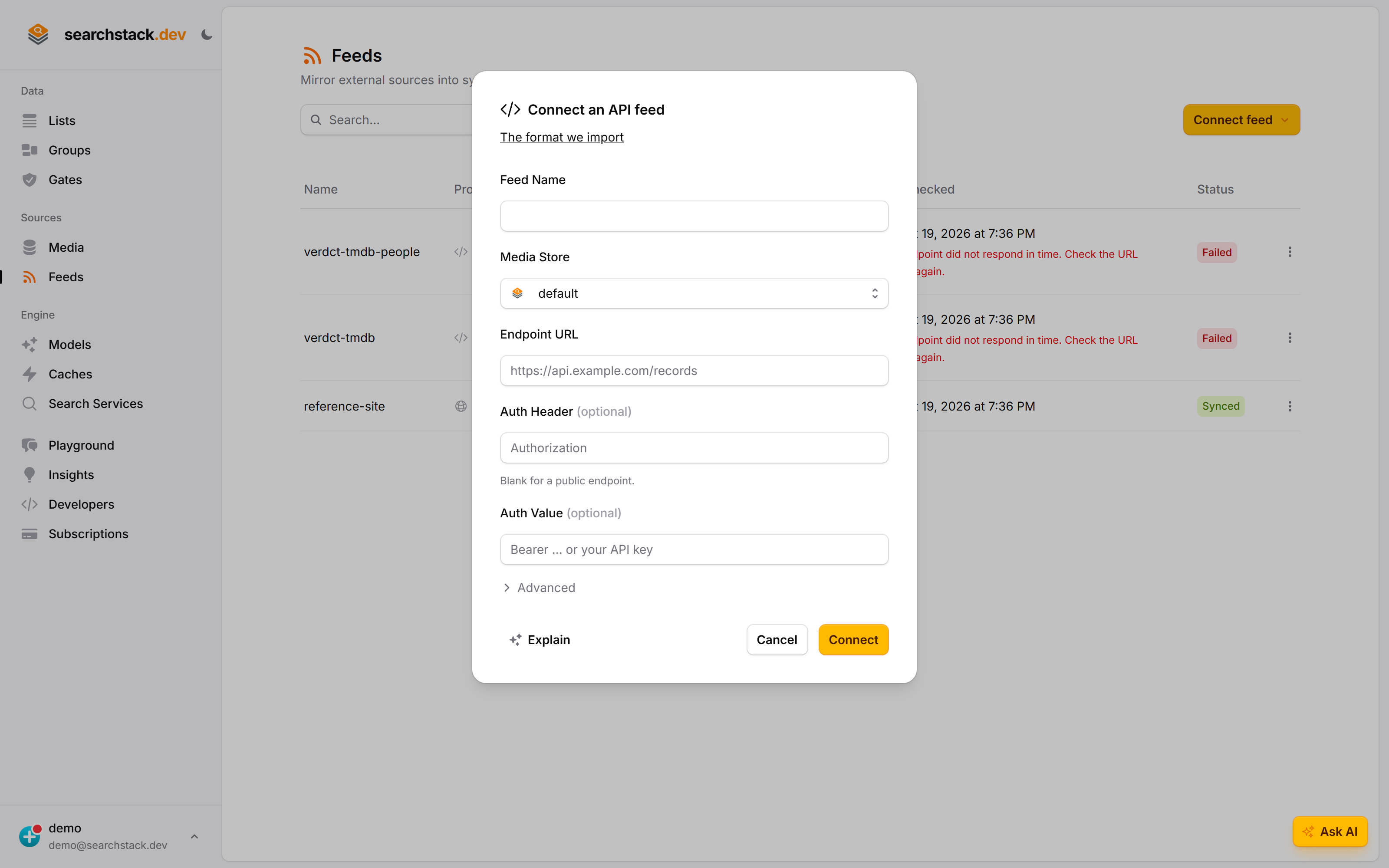
Name the feed, choose the media store that will hold the synced file, and give the endpoint. The auth header and value are optional — the dialog says “blank for a public endpoint” rather than making you guess — and the link at the top shows exactly what shape of response is imported.
The feed page tells you what happened, in words
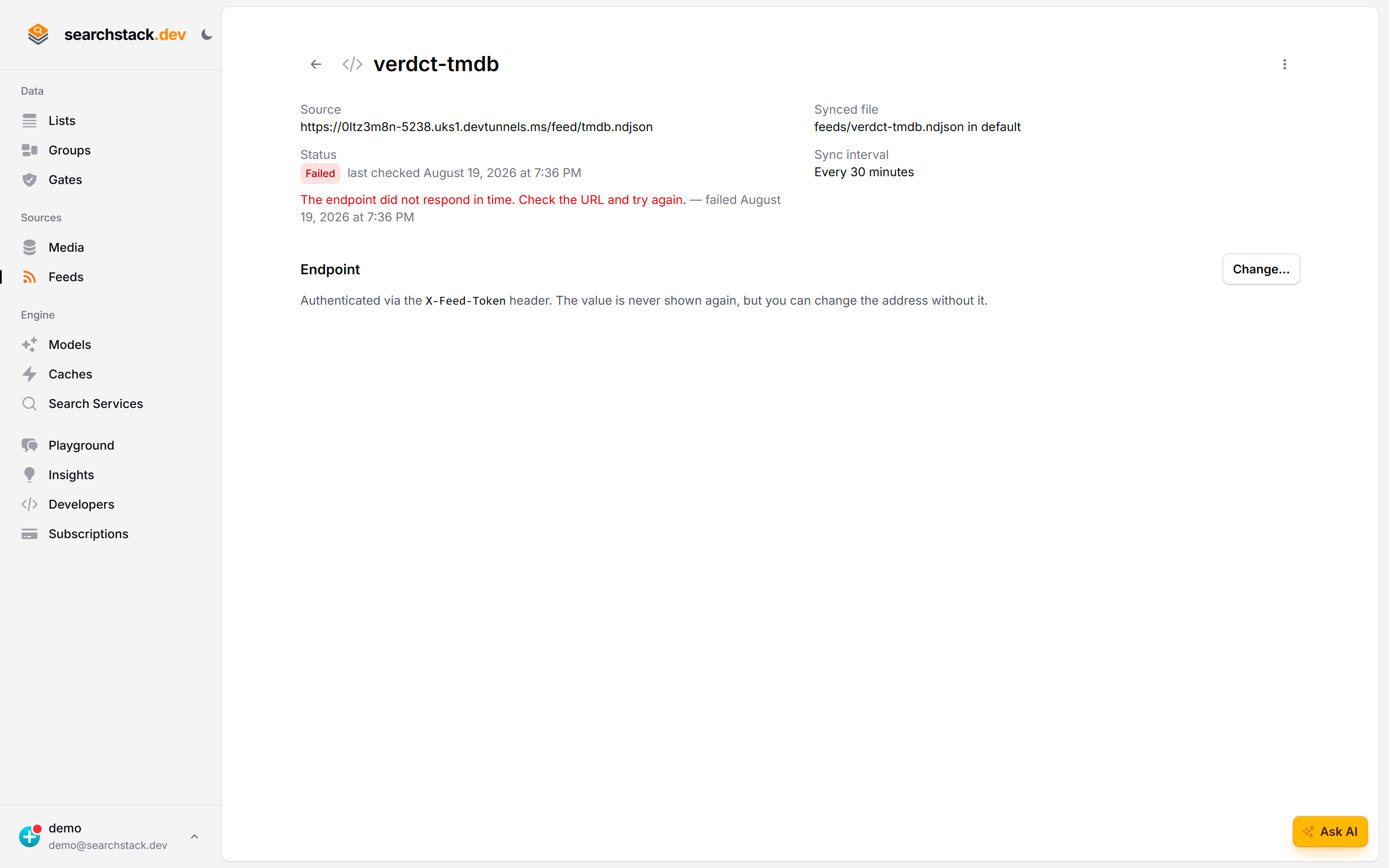
Each feed has a page showing its source, the file it writes, the sync interval, and the outcome of the last check. A failure is a sentence you can act on — “the endpoint did not respond in time” — and the token you authenticated with is never shown again, though the address can be changed without it.
Connect an endpoint
- Feeds (under Sources in the sidebar) → Connect feed → API endpoint.
- Name it; paste the endpoint URL (
https://api.example.com/products); fill in the optional auth header name and value, or leave both blank for a public endpoint; choose the media store for the synced file (built-in by default). - Connect. We call the endpoint there and then, so a wrong URL, a rejected credential or an unreadable response is caught immediately; the first sync starts right away.
The feed keeps feeds/<name>.sync up to date; point a list at it with keep-in-sync on.
What your endpoint must return
A single GET of your URL must return your records as one of:
- a JSON array of record objects —
[{ … }, { … }]; - a single JSON object;
- NDJSON — one JSON object per line;
- CSV — a header row, then one row per record. Tabs, semicolons and pipes work too.
Each property or column becomes a field, with its role worked out as for a file you upload. HTML, plain text or an error page is rejected at connect.
A published spreadsheet counts
Any plain https:// URL answering with a header row and rows will do — a Google Sheet published as CSV, an Airtable view’s CSV link, a scheduled report export. Edit the sheet, and the list follows next sync.
- Reachable without signing in: we send no credentials beyond your optional header. In Google Sheets, File → Share → Publish to web → Comma-separated values, not the ordinary share link.
- No manifest (a first line describing the file): field roles are guessed, a record’s name tells records apart, and there are no deletions — removing a row leaves the record. Return the common format if deletions matter.
Full control: the common format
For your own record IDs, declared field roles and deletion handling, return the common format: NDJSON whose first line is a manifest — what the other feeds produce, and uploadable by hand.
{"searchstack_format":1,"source":"crm","snapshot":true,"fields":{"summary":"vectorised","status":"facet"}}
{"id":"cust-1","name":"Ada Lovelace","summary":"Long-standing account","status":"active"}
{"id":"cust-2","name":"Grace Hopper","summary":"New this quarter","status":"active"}id— a stable identity: renaming a record updates it in place instead of creating a duplicate.fields— what each field is for (searchable,facet,facet_list,identifier,resource,link(a URL that is stored but not embedded) orvectorised), so fields are set up exactly rather than guessed.types— a facet’s type (string,number,date,boolean) instead of a guess, e.g."types":{"postcode":"string"}keeps0800from becoming 800.snapshot: true— turns on removal of records that have gone from the source.
Joining two systems, renaming fields, filtering rows: your endpoint’s job, not a mapping screen. A plain array still works, with guessed field roles and no deletions.
Keeping search in step with deletions
- Default: add-only — each sync adds new records and updates changed ones, but removes nothing, like re-uploading a file.
"snapshot": truein the manifest also deactivates records no longer in the response (hidden from search, not deleted), so a record deleted at the source drops out on the next sync.- Only when the response is the whole set: a partial response, or one page of many, would deactivate everything it left out.
If you are writing the endpoint yourself
A published spreadsheet needs none of this. Writing the endpoint yourself, especially under snapshot: true, means a few rules:
- Never answer
200with a partial or empty body — undersnapshot: truea body cut short by a failed, timed-out or not-yet-run build reads as “delete everything I left out”. Answer 503 instead: ask again shortly, and nothing changes. - Serve a body prepared earlier, not one built per request — a single sync may call your endpoint more than once. Build on your own schedule; swap in the new result when ready.
- If a rebuild fails, keep serving the previous body. Yesterday’s data beats a partial snapshot.
- Keep
idstable across builds — it makes a re-sync an update, not a duplicate. Take it from your own identifier, never row position, ordering or build time. - Protect the endpoint with the auth header if it fronts a system needing a login — anyone who learns the URL queries that system on your bill.
A record dropped from a snapshot: true response is deactivated, not destroyed — recoverable, but a list with a purge window eventually removes records that stay deactivated.
Authentication
- Optional, and a single header on every request: a name (
Authorization,X-API-Key) and a value (Bearer …, your API key). - The value is stored encrypted and never shown again.
- The endpoint must be https, so the header is never sent unencrypted.
- It must be a public, named host on the standard https port — IP addresses,
localhost, intranet names and custom ports are refused. For private data, put a small public endpoint in front.
Changing the endpoint
Open the feed and use Change… on its Endpoint panel. All three fields stay editable, and the auth value box opens empty on purpose.
| What you want | What to do |
|---|---|
| A new URL (new API version, domain change, typo) | Change the address, leave the auth value blank — the stored one is kept |
| A new key | Type the new value |
| The endpoint is now public | Clear the header name — the stored value is dropped with it |
| Add auth to a public endpoint | Fill in both the header name and a value |
A blank auth value always means keep what is stored. The new endpoint is checked against the live source before anything is saved, so a bad address can’t overwrite a working feed; the feed then syncs immediately.
How change is detected
- Each check fetches the endpoint and compares the response to the last; an identical response saves nothing.
- Any edit or deletion changes the response and triggers a fresh sync.
- Syncing runs on a schedule — as often as every 5 minutes, 30 by default — so an edit is searchable within minutes rather than instantly.
- Large sources are best split across several narrower endpoints, one feed each.