
Add your products
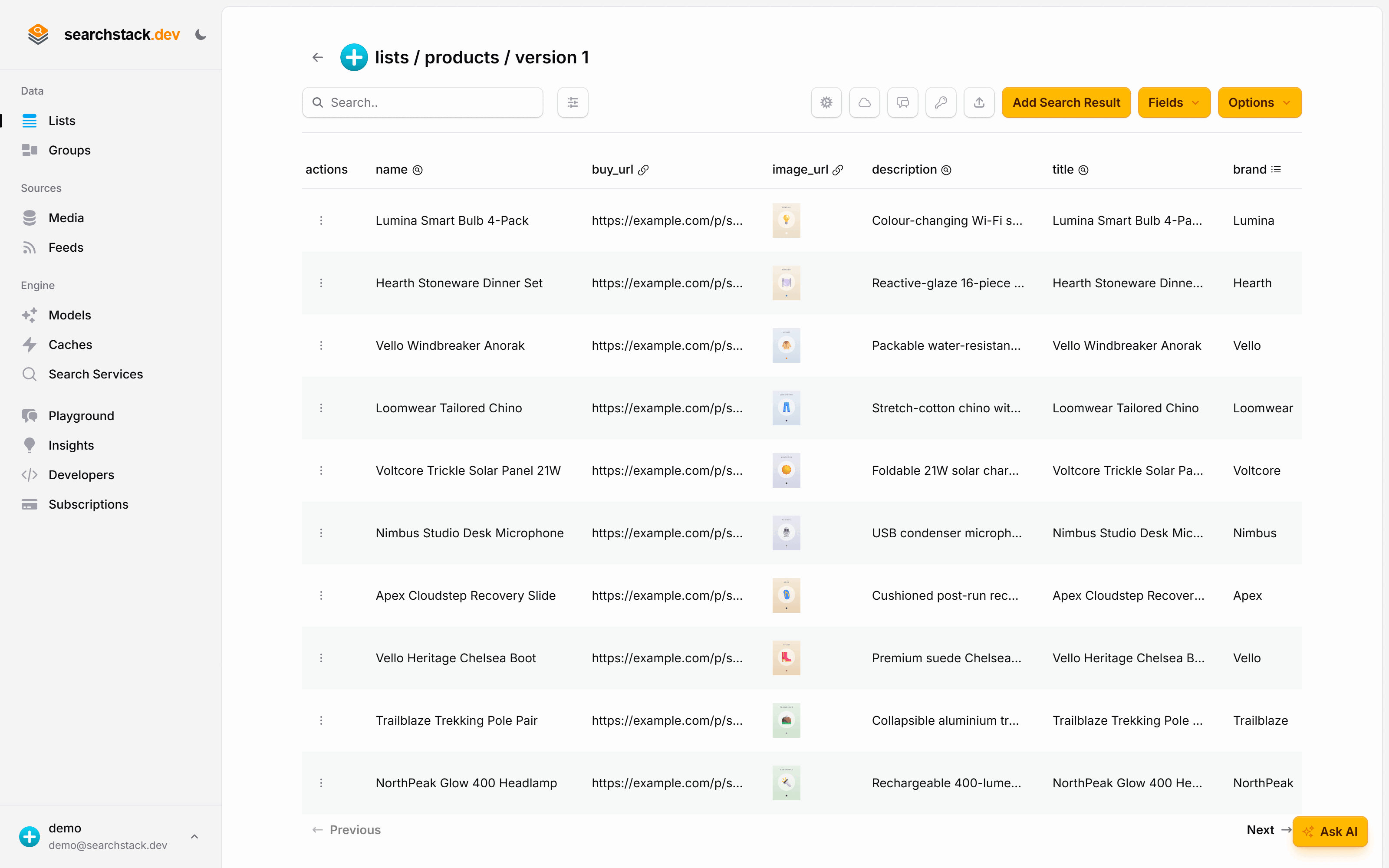
One record per product — 37 of them in the finished storefront.
One record per product
- Name — the product title. It is what search-as-you-type completes, so use the words a shopper would type, not an internal code. Keep the SKU as its own field.
- Searched — a description.
- Filtered (next step) — brand, category, colour, price, rating and an in-stock flag.
- Display only — an image and a buy link.
No embedding model is needed for this lesson — filters and counts don't use one.
In the console choose Create List, name it products, then use the list's Import
button to upload your catalogue as a JSON, NDJSON or CSV file — the fields are created from your data.
Or from code — the same import is one request:
POST https://api.searchstack.dev/search-result/Demo/products/with-fields
X-API-Key: {your key}
Content-Type: application/json

[
  {
    "name": "Apex Velocity Road Running Shoe", "sku": "sku-1002",
    "description": "Responsive foam cushioning for daily runs.",
    "brand": "Apex", "category": "Footwear", "color": "Blue",
    "price": 129.0, "rating": 4.5, "in_stock": true,
    "image_url": "https://…", "buy_url": "https://…"
  }
]
Go deeper: Lists, importing records, and field roles in the reference.