
Connect your website
Give a website feed one address and it crawls the pages under it, keeping them in step.
What a website feed is
A feed connects an outside source and mirrors it into a file Search Stack keeps up to date — you never upload anything by hand. A website feed's source is your own site: one web address in, the pages under it read and refreshed on a schedule. Nothing to install, nothing for you to run.
The address rule
Everything that starts with what you type is included. The * goes on the end, right after a /.
| You enter | What's included |
|---|---|
https://example.com/docs/* | Every page under /docs/, however deeply nested. |
https://example.com/* | Your whole site. |
https://example.com/pricing | Just that one page (no * means exactly that address). |
Connect it
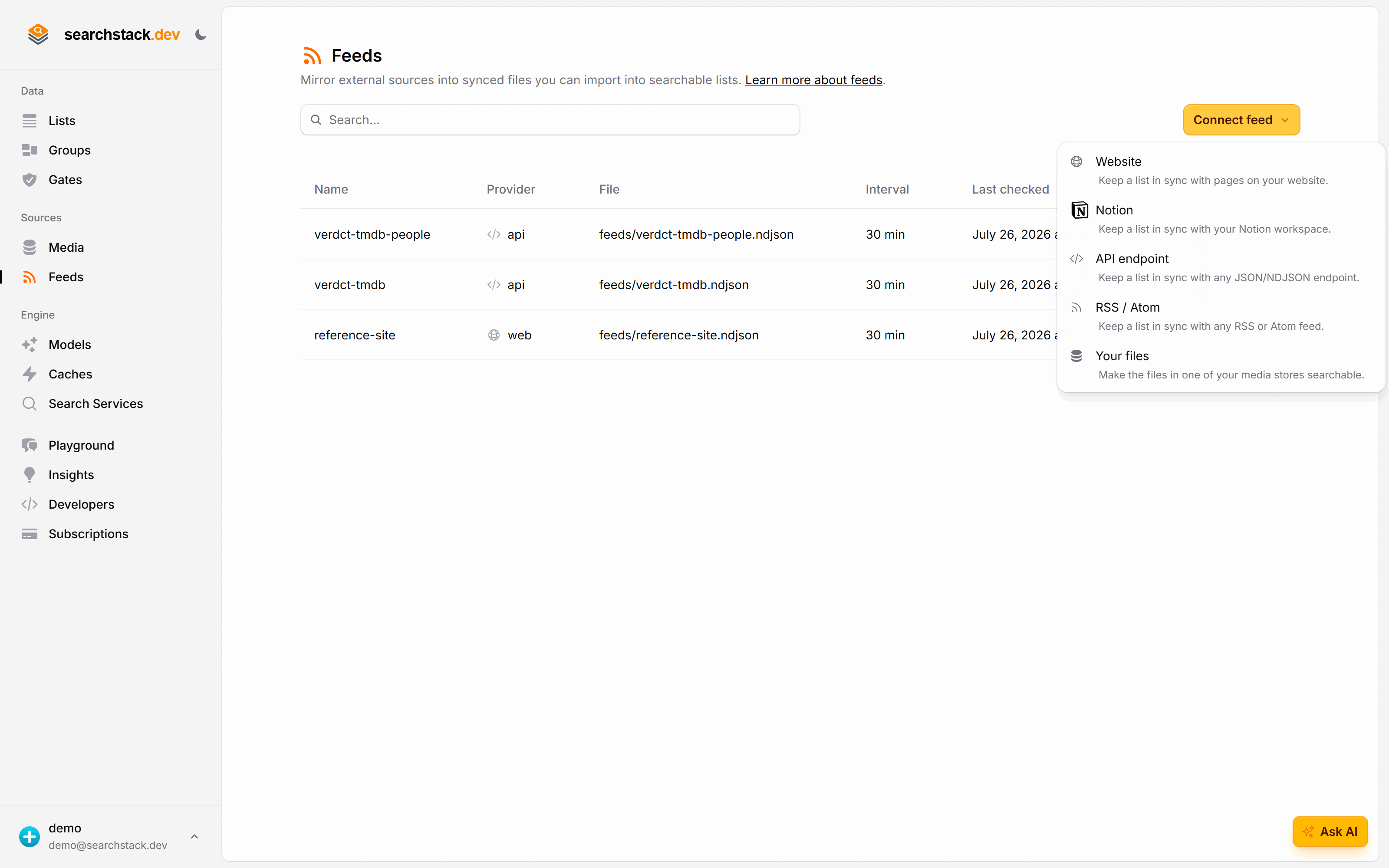
Go to Feeds (under Sources in the sidebar) and choose Connect feed, then Website:
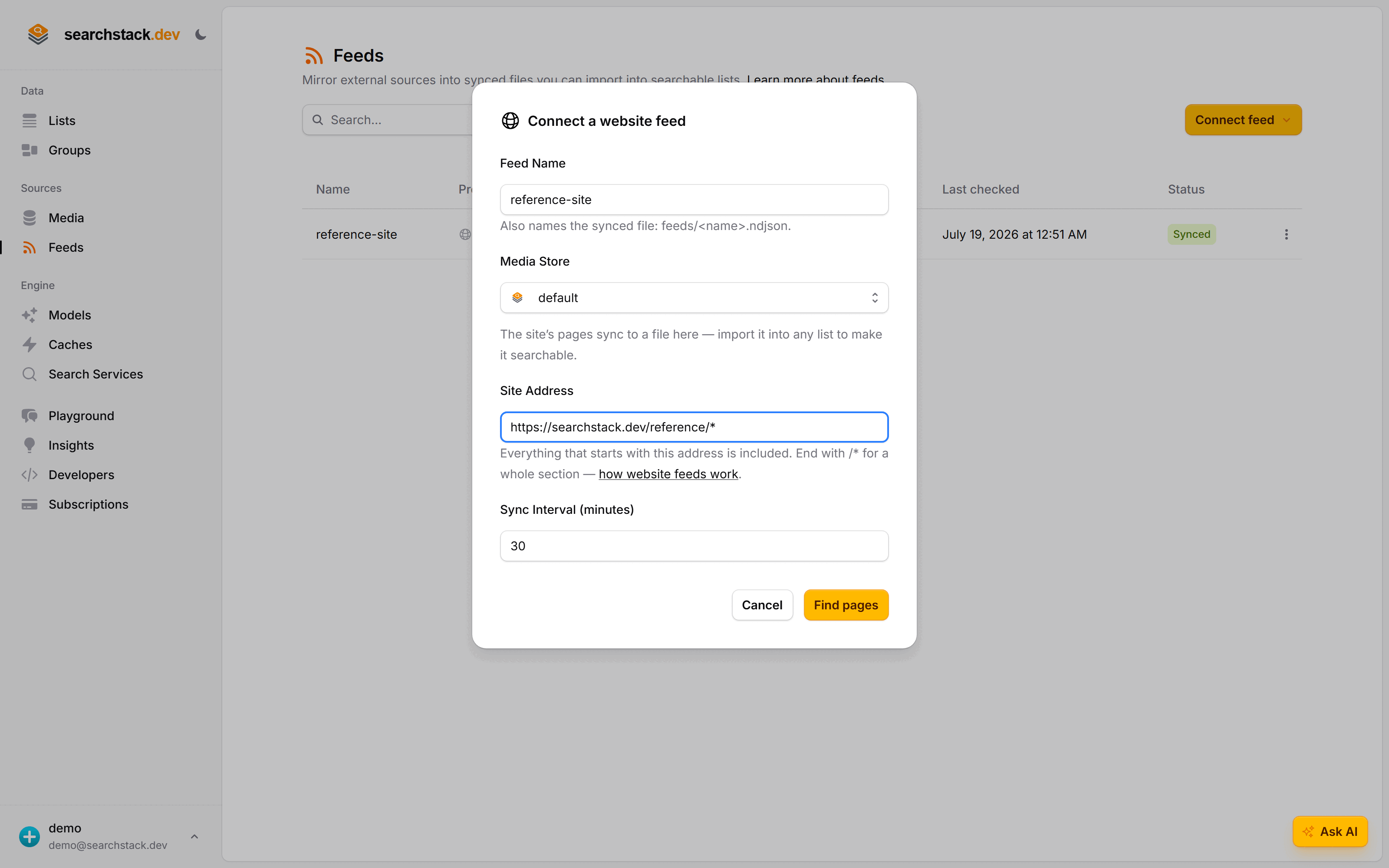
- Give the feed a name — for the demo it's
reference-site. - Enter the site address. For our reference docs that's
https://searchstack.dev/reference/*. - Click Find pages. The feed reads your site and lists what it found, all ticked. Untick anything you don't want, Add a page it missed, then click Connect.
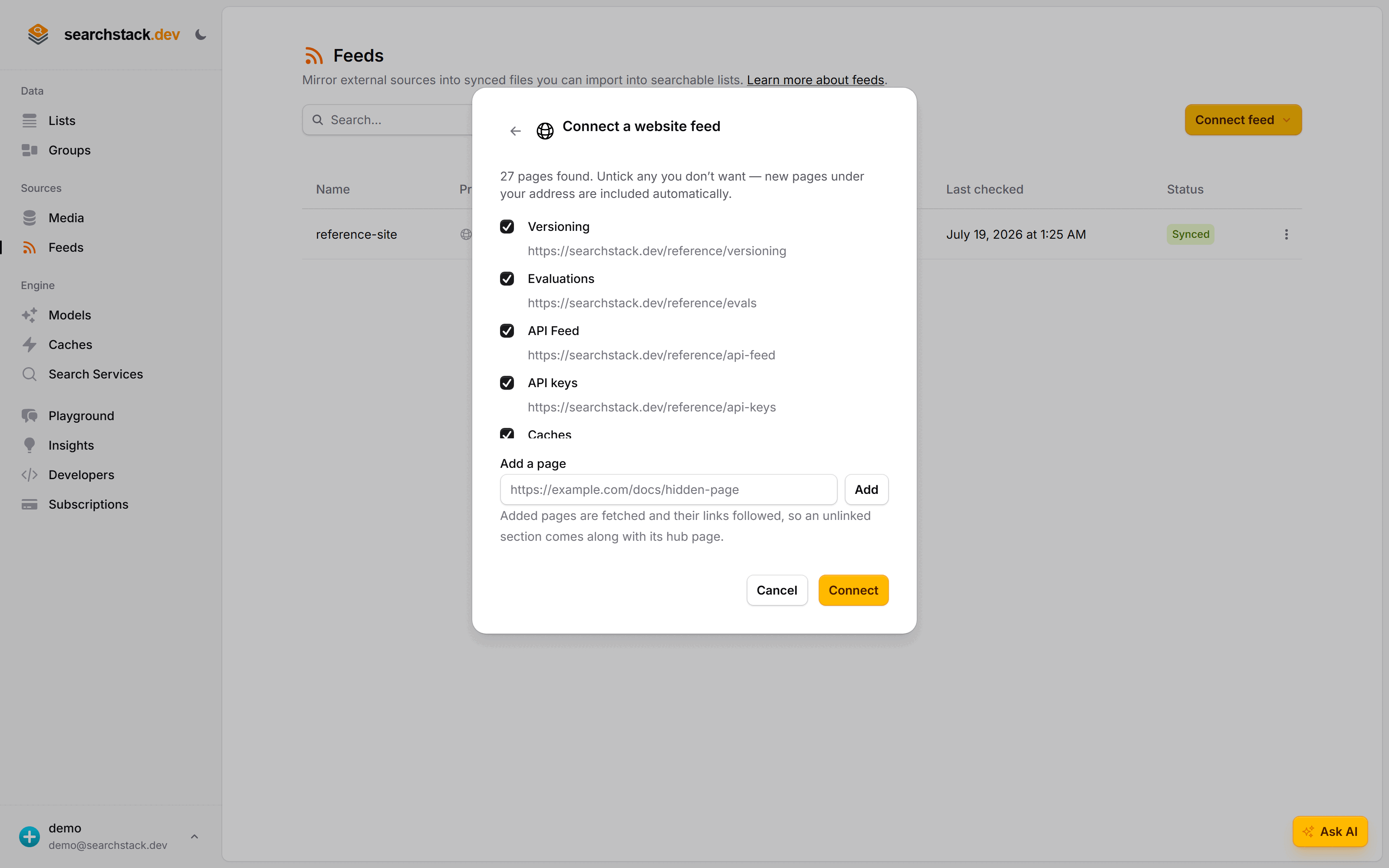
- The review list works in rules, not a fixed list — pages you publish under your address later are picked up on their own.
- The crawler reads what you point it at, even pages your
robots.txtblocks for search engines. It identifies itself asSearchStackBotand paces its requests.
Or from code
Preview the pages under your address. Nothing is saved yet:
POST https://api.searchstack.dev/feed/Demo/web/discover
X-API-Key: {your key}
Content-Type: application/json

{ "url_pattern": "https://searchstack.dev/reference/*" }
{
"pages": [
{ "url": "https://searchstack.dev/reference/versioning", "title": "Versioning" },
{ "url": "https://searchstack.dev/reference/fields", "title": "Fields" }
],
"truncated": false
}Then connect the feed. url_excludes and url_seeds are optional — the “untick” and “add a page” from the dialog. max_pages (1–3,000) caps the crawl:
POST https://api.searchstack.dev/feed/Demo/connect
X-API-Key: {your key}
Content-Type: application/json

{ "feed_name": "reference-site", "provider": "web", "url_pattern": "https://searchstack.dev/reference/*" }
{
"feed_name": "reference-site",
"provider": "web",
"store_name": "default",
"file_path": "feeds/reference-site.sync",
"sync_interval_minutes": 30
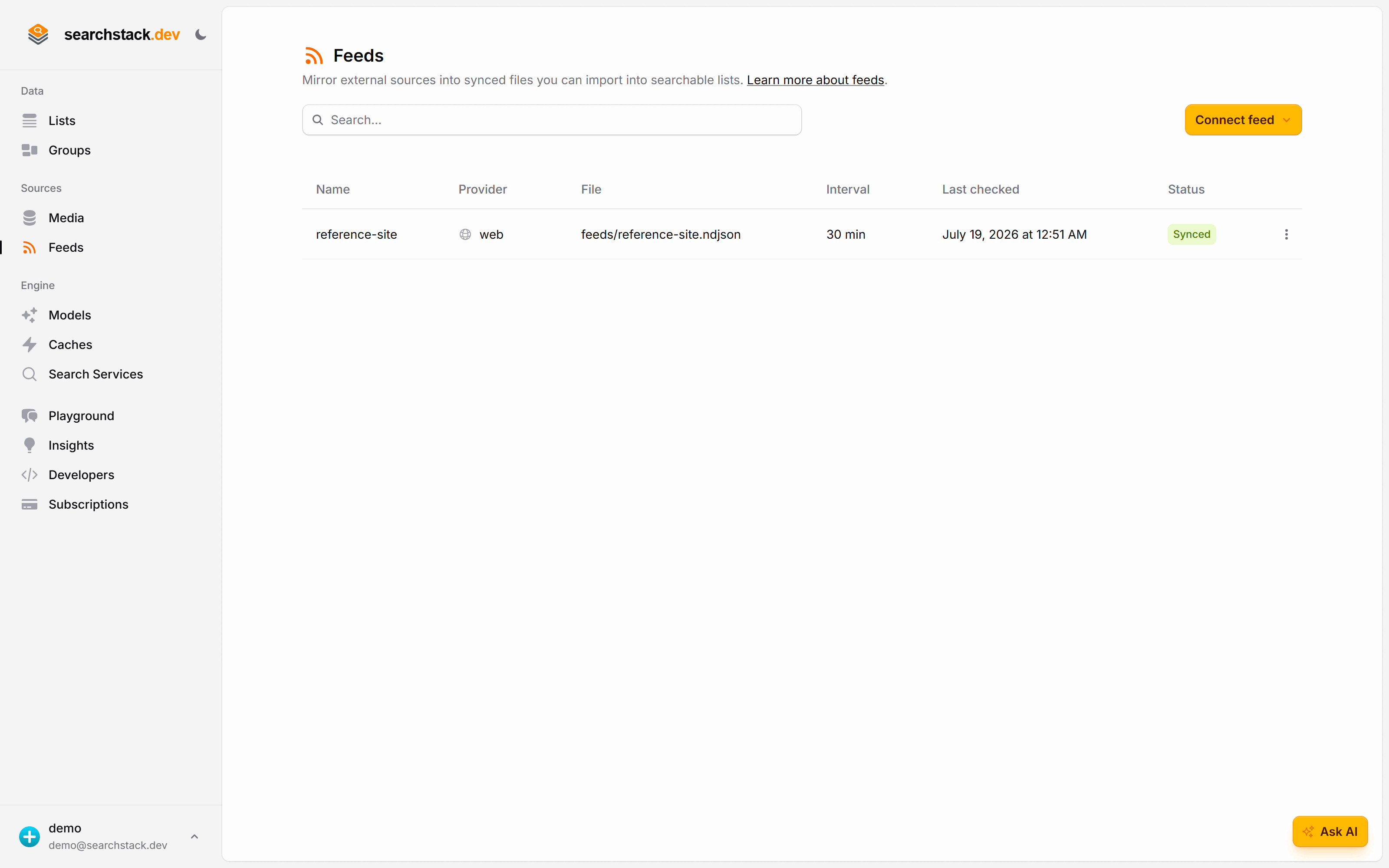
}The feed appears on the Feeds page with its status and sync interval — here, synced and refreshing every 30 minutes:
Go deeper: The address rule, how pages are found, and what ends up in each record in the reference.