
Check the answers are good
Evaluations turn “seems fine” into a number you can watch.
What an evaluation is
An evaluation is a set of test searches, each with its own criteria for a good result. Search Stack runs every search against your list and scores the results. For a docs search, use the questions your users actually ask: “how do I change a field safely?” with the criteria “passes only if the page explains versioning”.
A judge — an LLM on your own API key — reads each returned page against that case’s criteria and marks it pass or fail. It never sees the search itself, which is why the criteria must say what a good page holds.
Why it matters here
A website feed keeps changing under you: pages get edited, new ones appear, the crawl re-splits sections. Any of that can shift what ranks first. Re-run the evaluation after a change and a drop in the score tells you before your users do.
Set one up
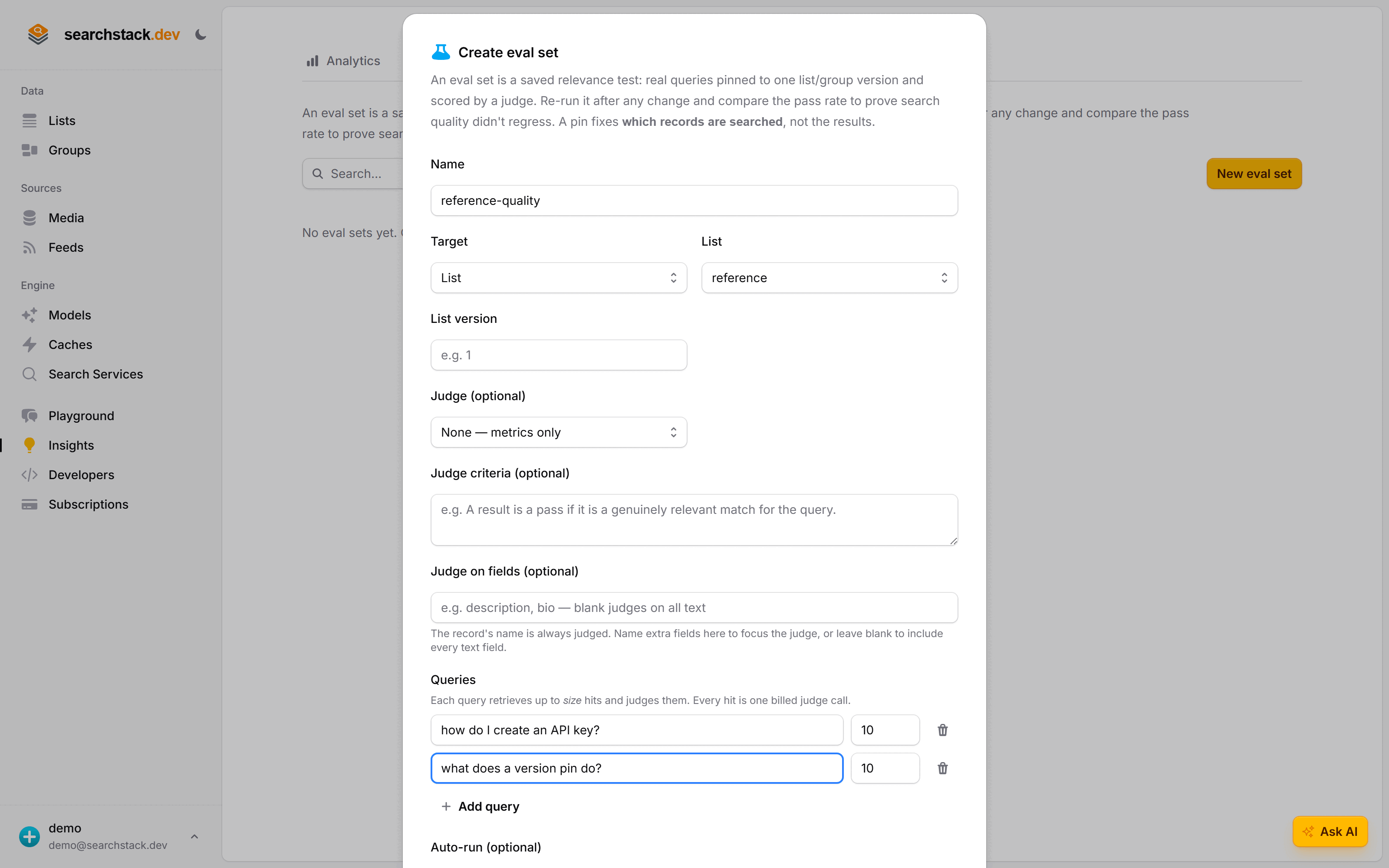
- Open Insights, switch to the Evaluations tab, and choose New eval set.
- Target your
referencelist, and pick the saved API key that pays for the scoring if you want it graded automatically. - The set is created empty and opens on its Cases. Add a handful of real questions — each a case with its own bar for a good answer.
- Run it. When it finishes — minutes to hours — you have a score and a baseline to compare against later.
Re-run it whenever you change something — swap the embedding model, restructure your docs, tune the crawl.
Go deeper: Evaluations, judges, and tracking quality over time in the reference.