
Learn from what people search for
Make the box get better on its own, without writing a single new suggestion.
How it works
Turn UGS on for a list and Search Stack watches the searches run against it. A search that succeeds — returned results, was long enough, maybe led to a click — is captured into a list of its own. Point suggest at that list, alone or blended into the group you built, and your typeahead starts offering real-world phrasing you never typed in: “movies with chris hemsworth”. You set the bar for capture, so typos and dead-end searches never make it in.
Turn it on
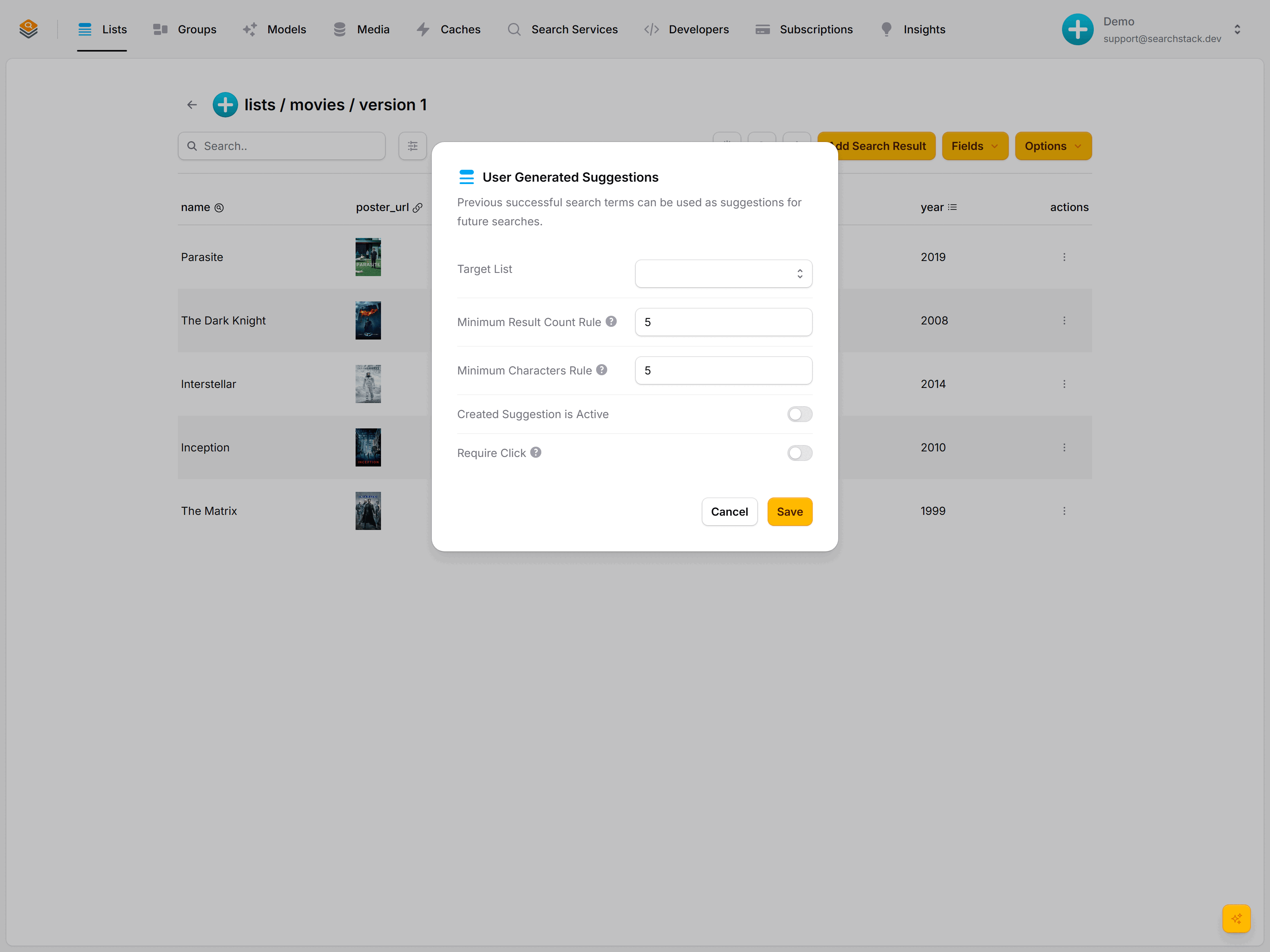
Open the movies list, choose Options, then Enable U.G.S. You'll see the capture rules:
| Rule | What it does |
|---|---|
| Target list | The list captured phrases are stored in: the one you'll point suggest at. |
| Minimum result count | Only capture a search that returned at least this many results, so "asdfgh" (zero results) is never saved. |
| Minimum characters | Ignore very short searches like "a" or "th". |
| Capture Suggestions | On: searches that pass these rules are saved to the target list and show in suggest straight away; there is no review step. Off: nothing is captured. |
| Require click | Only capture a search if the visitor actually clicked a result, the strongest signal it was a good search. |
Save, and capture begins off the searches already hitting your list. There's nothing else to wire up.
Go deeper: Capture rules and how the captured list feeds typeahead in the reference.