
User Generated Suggestions
User Generated Suggestions (UGS) save the phrases your visitors search successfully into a list of their own — specific, unusual wording like movies with chris hemsworth that you’d never think to write.
- UGS fills a list; Suggestions is the as-you-type API that shows it. Point
suggestat the filled list. - Capture rules control what is kept, so typos, dead ends and single letters are not.
Turn real searches into autocomplete
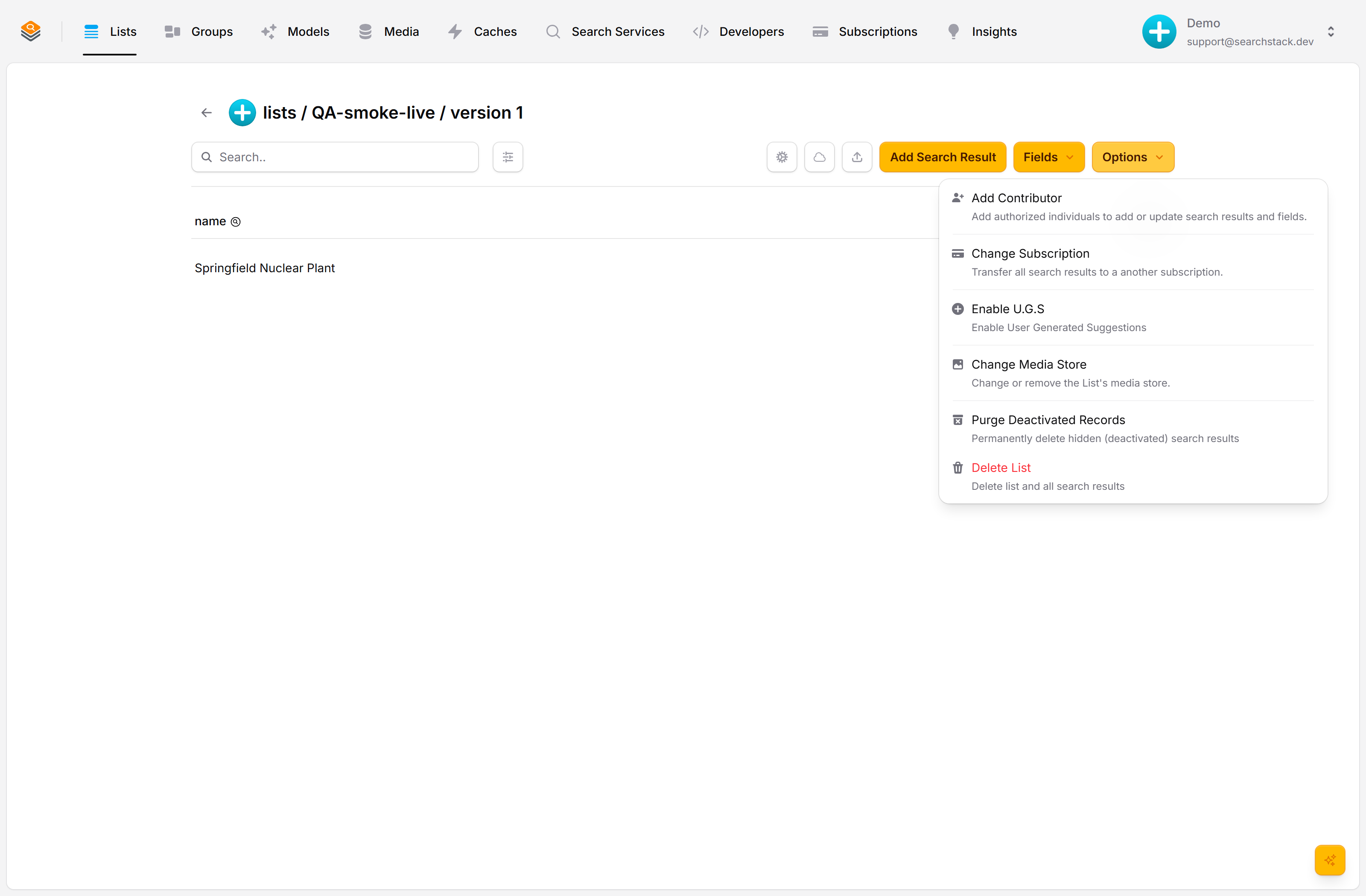
User Generated Suggestions turn your users’ real searches into an autocomplete source. No hand-authoring — long-tail phrases like “movies with chris hemsworth” get captured because someone already searched them successfully. Turn it on from a source list’s Options → Enable U.G.S.
Set the capture rules
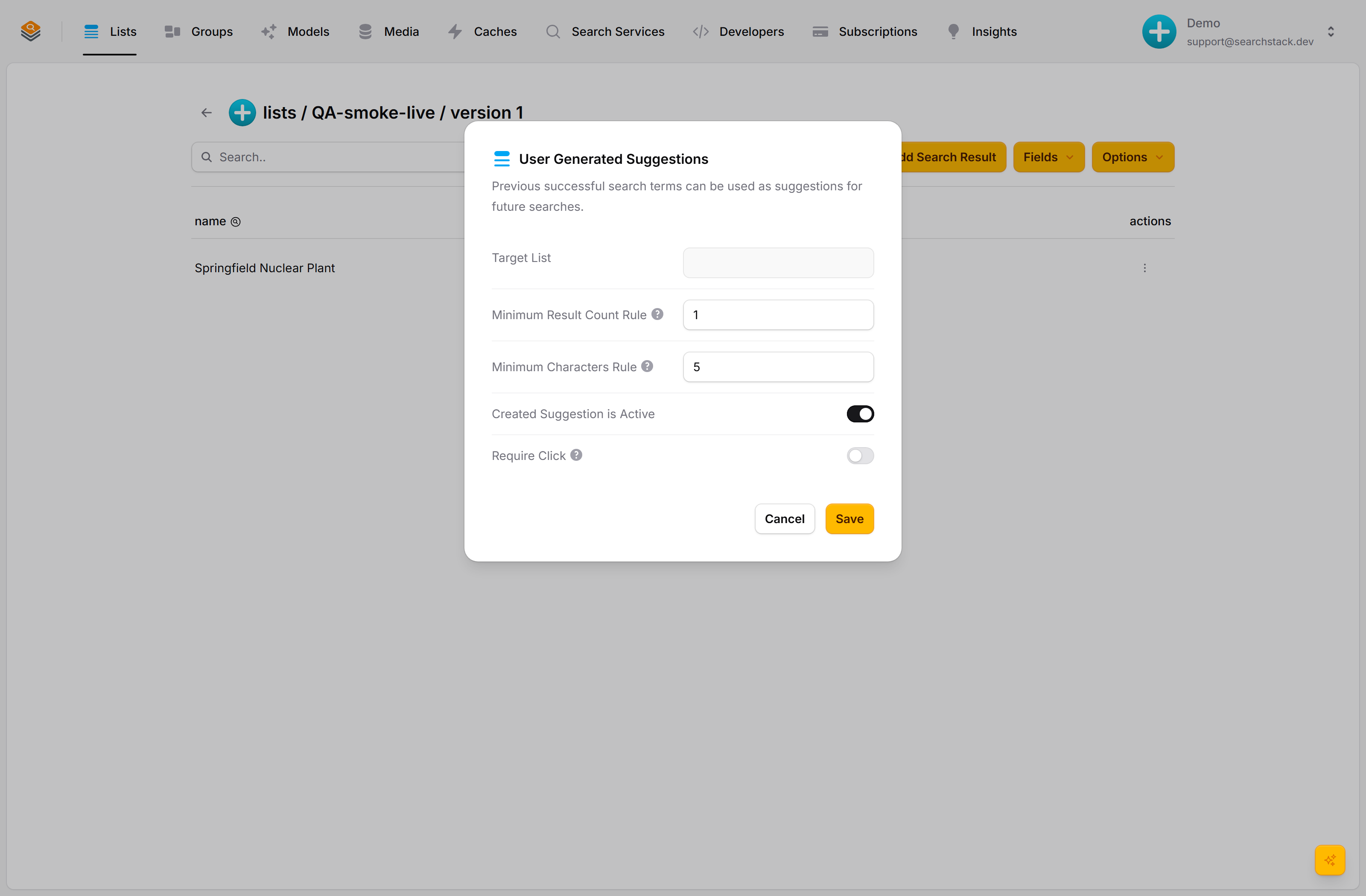
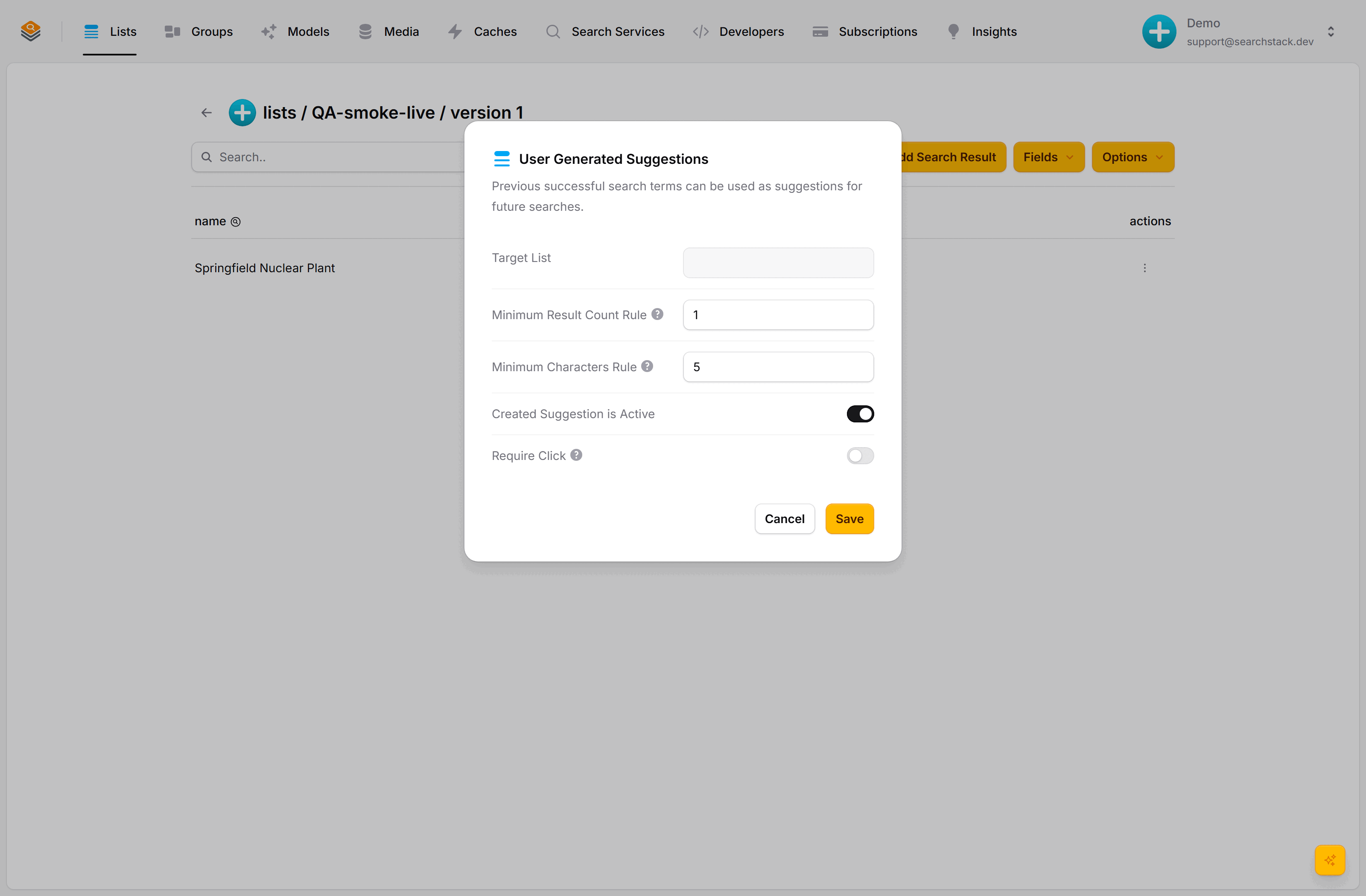
Point captured terms at a target list, then set the capture rules: a minimum result count (skip queries that found nothing), a minimum length (skip tiny fragments), whether new terms go live immediately or wait for moderation, and optionally require a click so only terms that led somewhere useful are kept. The target is an ordinary list — review or edit its terms, then serve them as typeahead through the suggest API.
Auto-plays · use Back / Next to step through at your own pace.
Turn it on
- Open the source list (the one your users search) and choose Options → Enable U.G.S.
- Pick a target list: saved phrases are stored there as ordinary records.
- Set the capture rules (below) and save. Phrases that pass the rules are added to the target list once a week, and from past searches as soon as capture is switched on.
Or turn it on from the API
POST https://api.searchstack.dev/ugs/acme/movies- Body:
target_list_name,minimum_result_count,minimum_characters,is_active, and optionallyrequire_click,minimum_occurrencesandlookback_days— how many times a phrase must have been searched, over how many days (defaults 3 and 30; at most 365 days). The console calls them Minimum searches and Within days. PUTthe same route changes any rule (send only what changes);DELETEstops capture and leaves the phrases already captured where they are.- Agents get the same three as MCP tools:
ugs_create,ugs_edit,ugs_delete. - Read the rules back from the list itself —
suggestion_targeton the list.
How it works
- A visitor searches the source list, directly or through a group, and the query passes your capture rules.
- The query text is written as a new record into the target list.
- You show that list through the suggest API — directly, or mixed into a group. Someone types “underr” and sees “underrated 90s thrillers”.
Capture rules
| Rule | What it does |
|---|---|
| Minimum result count | Only save a query that returned at least this many results: a phrase that found nothing is a dead end, not a suggestion. |
| Minimum length | Ignore very short fragments that make poor suggestions. |
Capture suggestions (is_active) | On: phrases that pass the rules are added every Sunday at 04:00 UTC and are live in suggest at once — there is no review step. Switching it on also adds phrases from up to 365 days of the list’s past searches. Off: nothing is captured. |
| Require click | Only keep a phrase if the user clicked a result. Captures nothing unless your site records clicks. Only list-route clicks are read: for a phrase searched through a group, send the click to the list route with the hit’s list and the group search’s query_id; those clicks count in the list’s report, not the group’s. |
- A phrase counts every search, not every visitor, so one visitor repeating a search can meet
minimum_occurrences. On a public site, raise it. - Ask questions count as searches, so a question asked often enough is captured like any other phrase.
The target is an ordinary list: review, edit or delete saved phrases in the console, and the usual versioning and contributor rules hold.