
Bulk-load the catalogue
Load a whole list at once from a file — and use it to add the second list: actors.
The file format
A JSON array: one object per record, each a set of "field": value pairs. Values can be text, numbers, true/false, or a list.
[
  {
    "name": "Jennifer Lawrence",
    "image_url": "https://.../jennifer-lawrence.jpg",
    "movies": ["The Hunger Games: Catching Fire", "X-Men: Days of Future Past"]
  },
  {
    "name": "Hugh Jackman",
    "image_url": "https://.../hugh-jackman.jpg",
    "movies": ["Prisoners", "X-Men: Days of Future Past"]
  }
]
Import the file
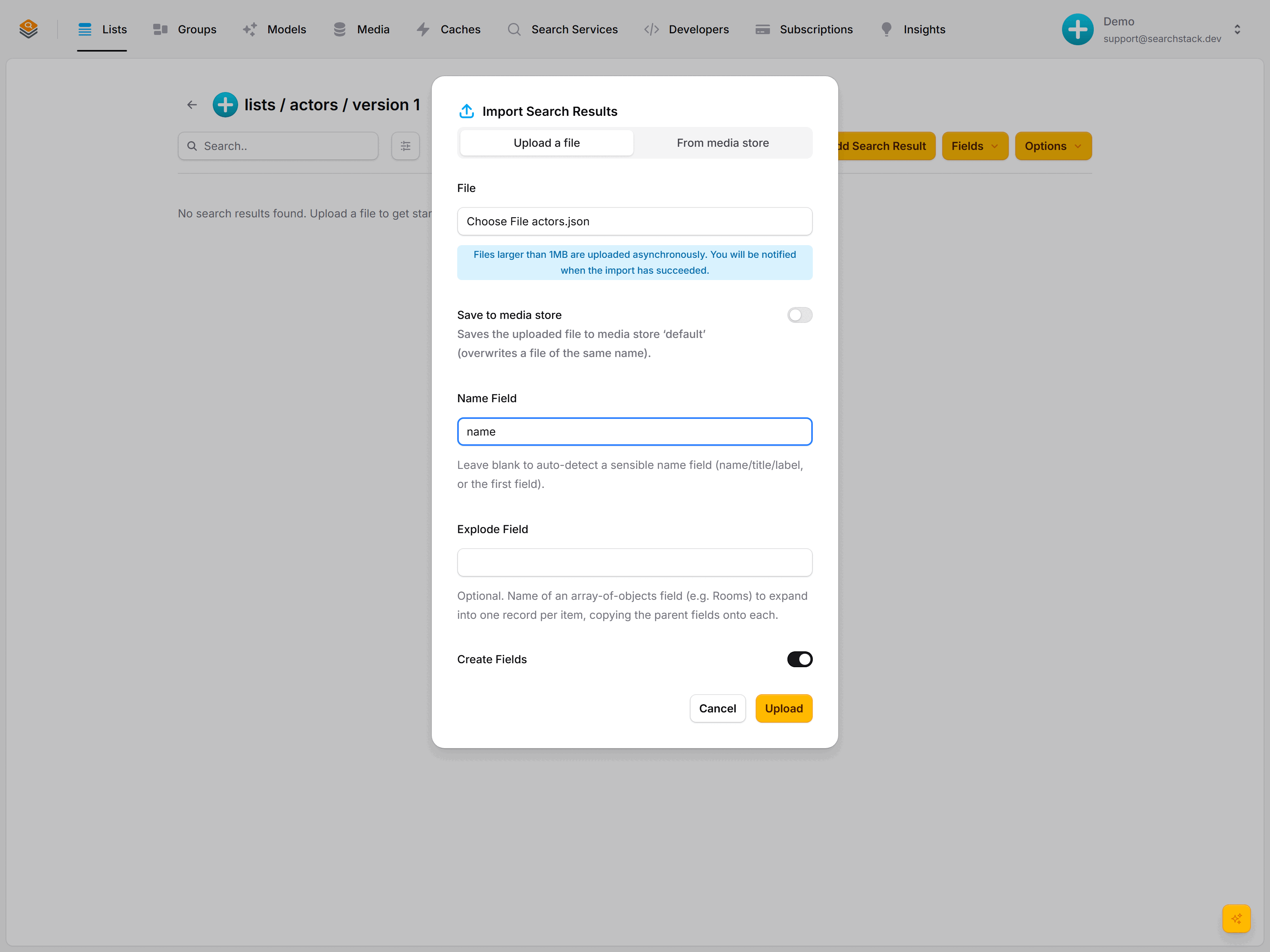
Create a list called actors, open it, and click Import (the upload icon). Choose your file, and set two things:
- Name Field: which field is the result's name. Here it's
name. (Leave it blank and Search Stack picks a sensible one.) - Create Fields: leave this on and the fields are read from your file and set up for you.
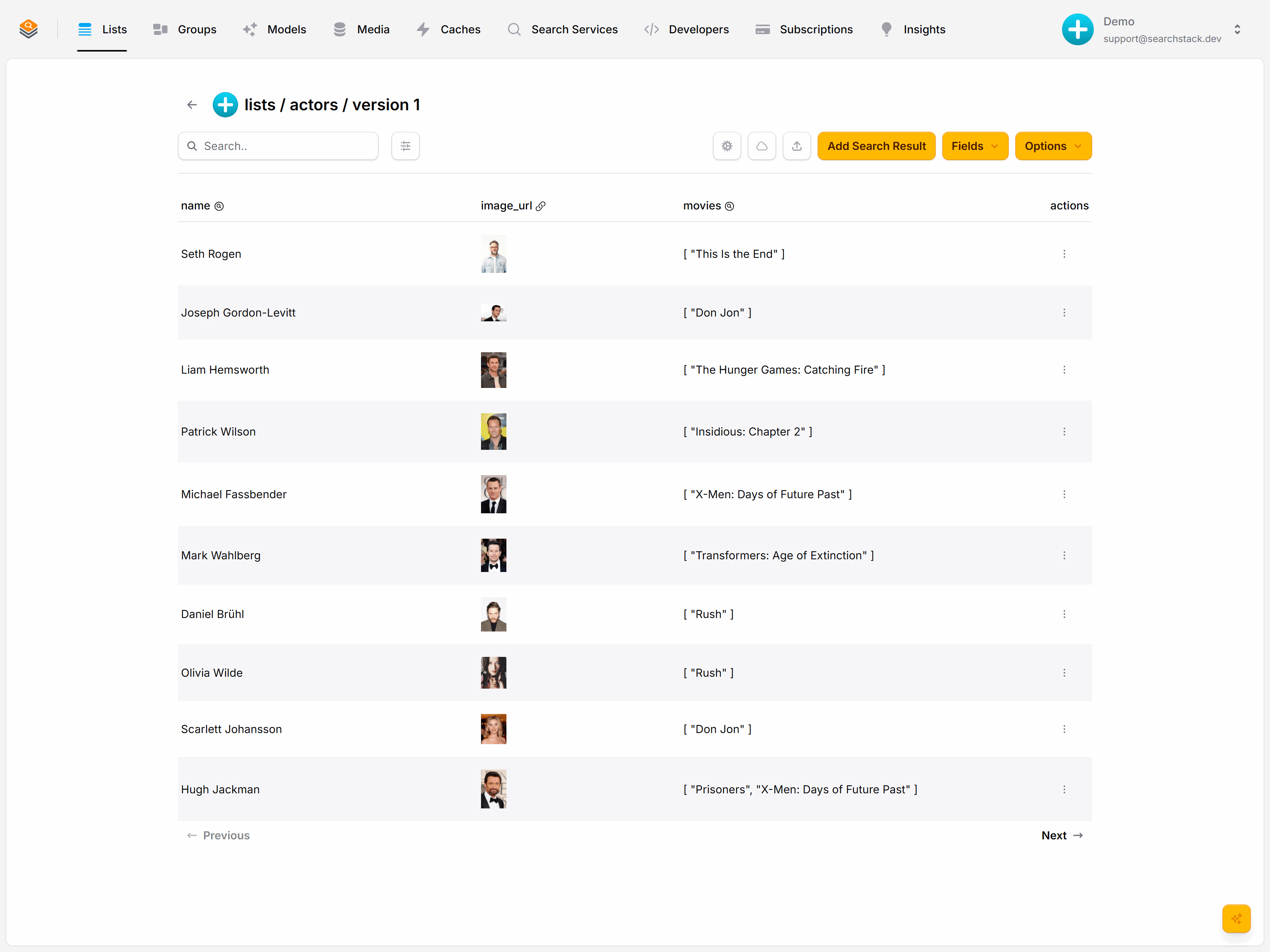
Click Upload. Every field is created and typed for you — image_url as a resource (note the image previews), movies as searchable text:
Or from code
Post your JSON array to the with-fields endpoint and any new fields are created from the data:
POST https://api.searchstack.dev/search-result/Demo/actors/with-fields
X-API-Key: {your key}
Content-Type: application/json

[ { "name": "Jennifer Lawrence", "image_url": "https://…", "movies": ["…"] }, … ]- Files over 1 MB import in the background; the records appear when it finishes.
- Keep the file in a media store and Search Stack re-imports it automatically whenever it changes.
Moving records
To move records between lists — say the older films into a classics list — insert them into the target, then delete exactly those from the source. Post the ids to delete-by-ids:
POST https://api.searchstack.dev/search-result/Demo/movies/delete-by-ids
X-API-Key: {your key}
Content-Type: application/json

{ "ids": ["b71b7c9c4f2e4c98", "e2a1…", "9f04…"] }
{ "deleted": 3, "not_found": [] }- Removed straight away — no background job.
- Deletes the exact set you name, so a move never removes a record that merely matches a filter.
- An id already gone comes back under
not_found, not as an error — the call is safe to retry. - 100 ids per batch or fewer. For open-ended clear-outs (“delete everything before 1970”) use delete-by-filter; the full delete family is on the Lists reference.
Ask Claude to “move these films into a classics list” and it runs exactly this over the MCP tools — search, insert, delete the moved ids — with no code from you.
Go deeper: Auto-reimport, media stores and the in-console file editor in the reference.