
Groups
A group is one search box over several lists at once — movies and actors together.
- Search a group and every member list is searched, the matches merged and ranked together, so “hemsworth” returns the actor and their films in one response.
- The underlying lists don't change; the group is a shared front door.
Create the group
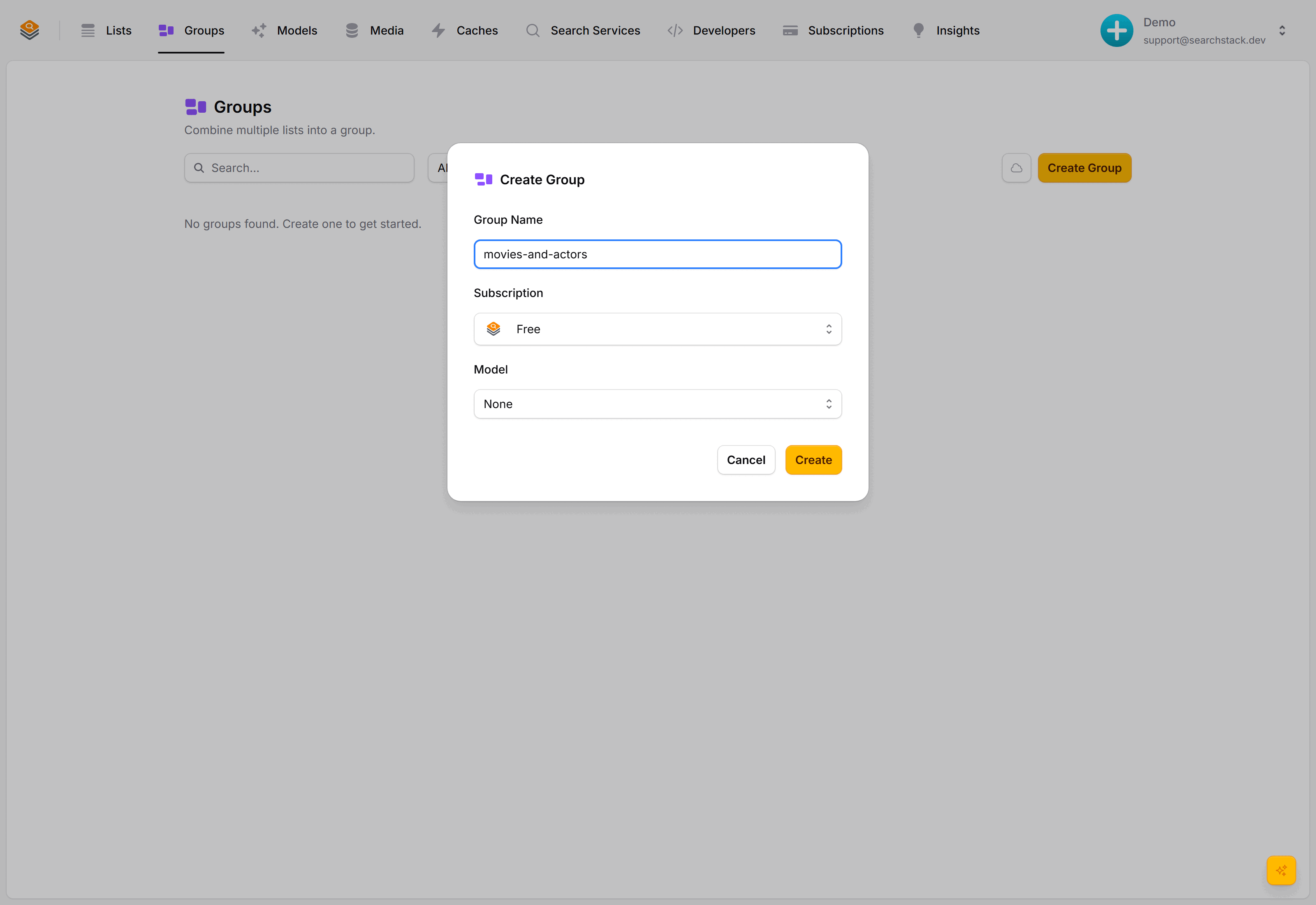
Go to Groups, choose Create Group, name it movies-and-actors.
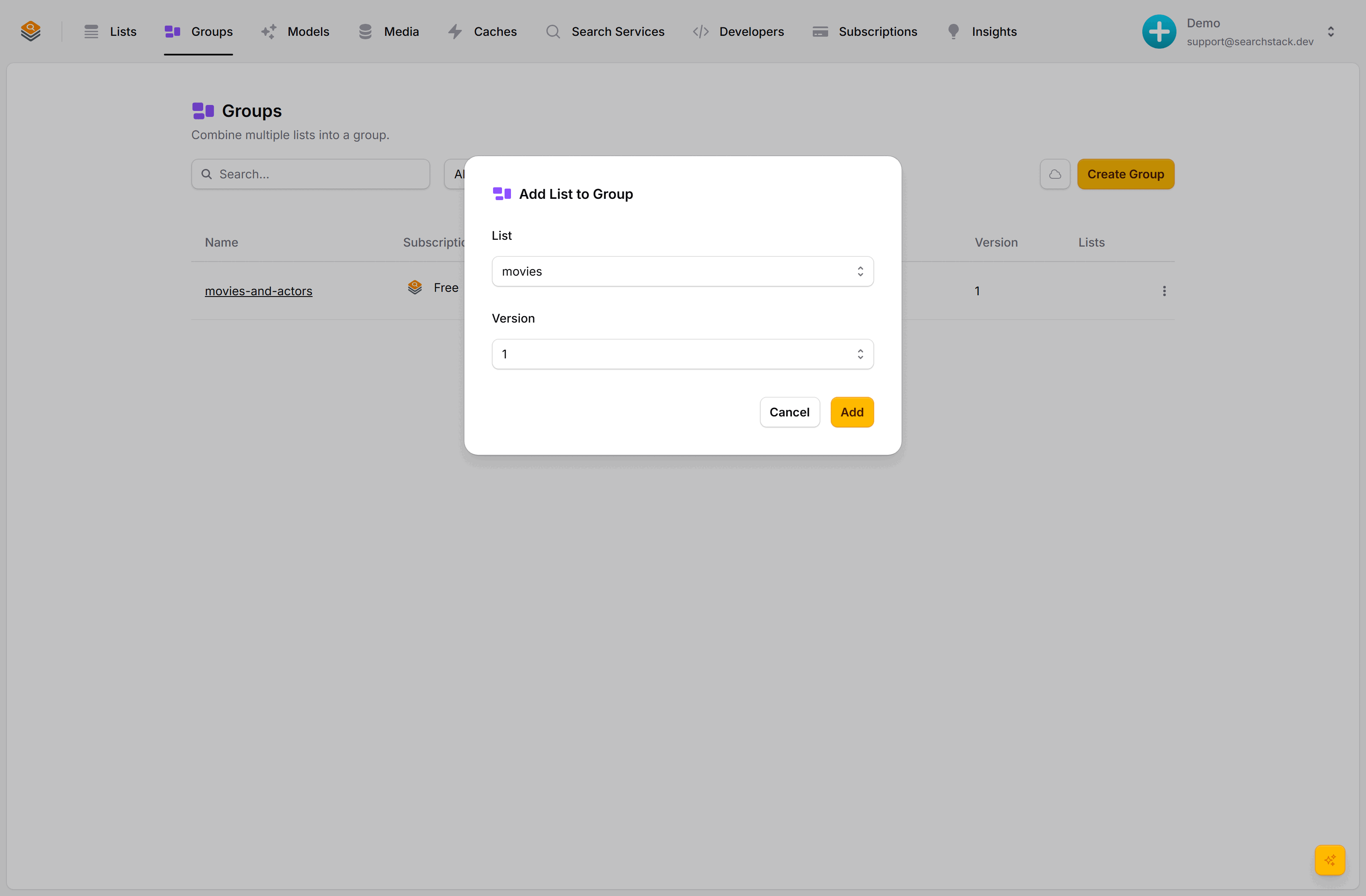
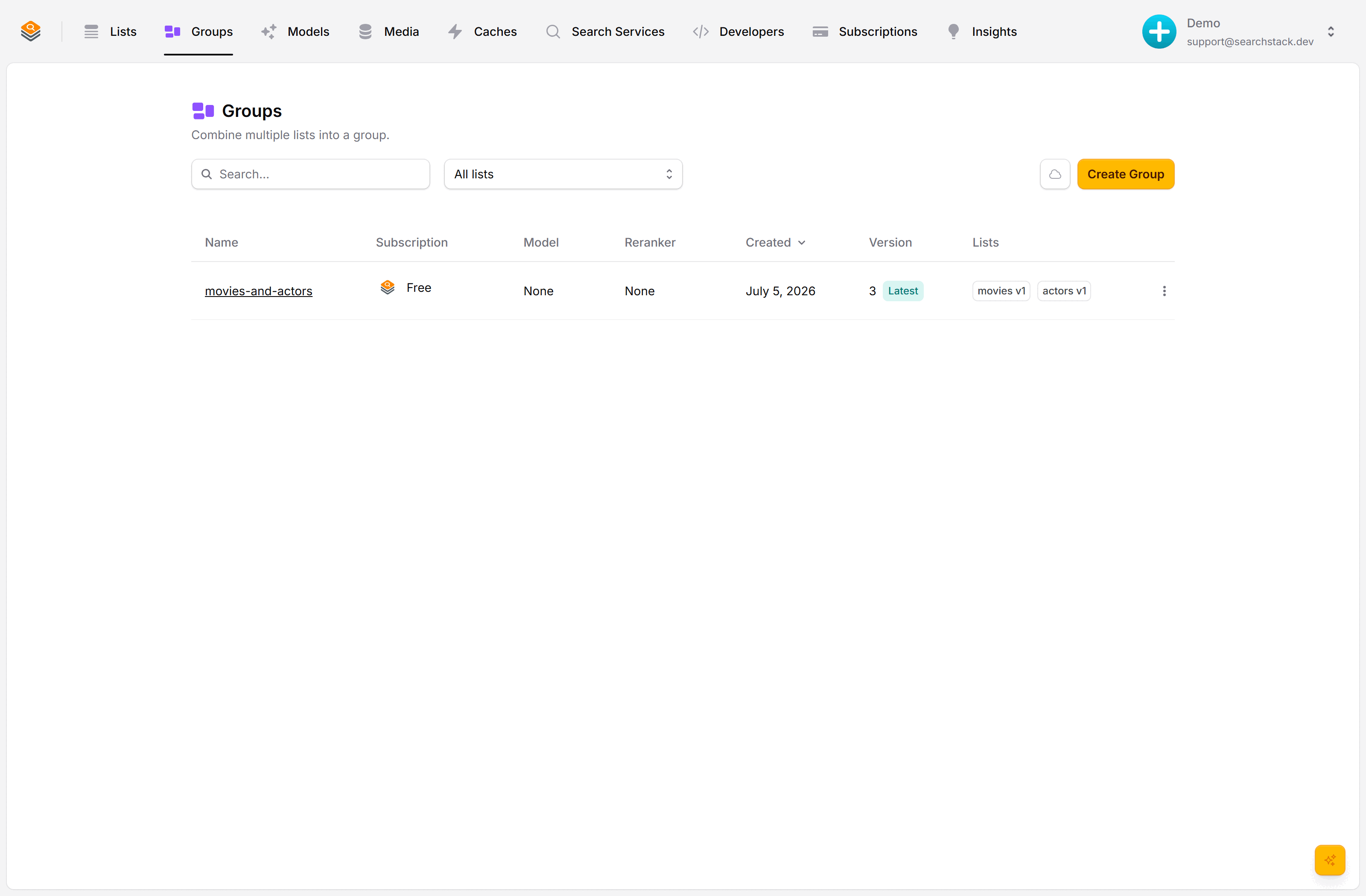
Open the group's menu, choose Add List, add movies, then actors. Each list joins at a specific version, so the group always searches a known shape of it.
Search the group
A group has its own search and suggest endpoints: same as a list, with group in the path. The number is the group's current version, shown next to it in the console:
GET https://api.searchstack.dev/search/group/Demo/movies-and-actors/3?query=hemsworth
X-API-Key: {your key}
Each result carries a list_name saying which list it came from:
{
  "results": [
    { "name": "Liam Hemsworth", "list_name": "actors", "fields": { "movies": ["The Hunger Games: Catching Fire"] } },
    { "name": "The Dark Knight", "list_name": "movies", "fields": { "genre": "Action", "year": 2008 } }
  ],
  "count": 2,
  "total_count": 2
}
Branch on it to pick a card template:
if (result.list_name === "actors") {
  renderActorCard(result);   // headshot + films
} else {
  renderMovieCard(result);   // poster + year
}
Why versions are pinned
Because each list joins at a fixed version, changing a list later never silently breaks the group. Bump the group to a new version when you want to pick those changes up. See Versioning.
Merging behaviour, version pins and cloning: the Groups reference.