
Uploading
Load a whole list from a file, with the fields worked out for you. Here, a second list: actors.
The file format
A JSON array: one object per record, each a set of "field": value pairs. Values can be text, numbers, true/false, or a list.
[
  {
    "name": "Jennifer Lawrence",
    "image_url": "https://.../jennifer-lawrence.jpg",
    "movies": ["The Hunger Games: Catching Fire", "X-Men: Days of Future Past"]
  },
  {
    "name": "Hugh Jackman",
    "image_url": "https://.../hugh-jackman.jpg",
    "movies": ["Prisoners", "X-Men: Days of Future Past"]
  }
]
Import the file
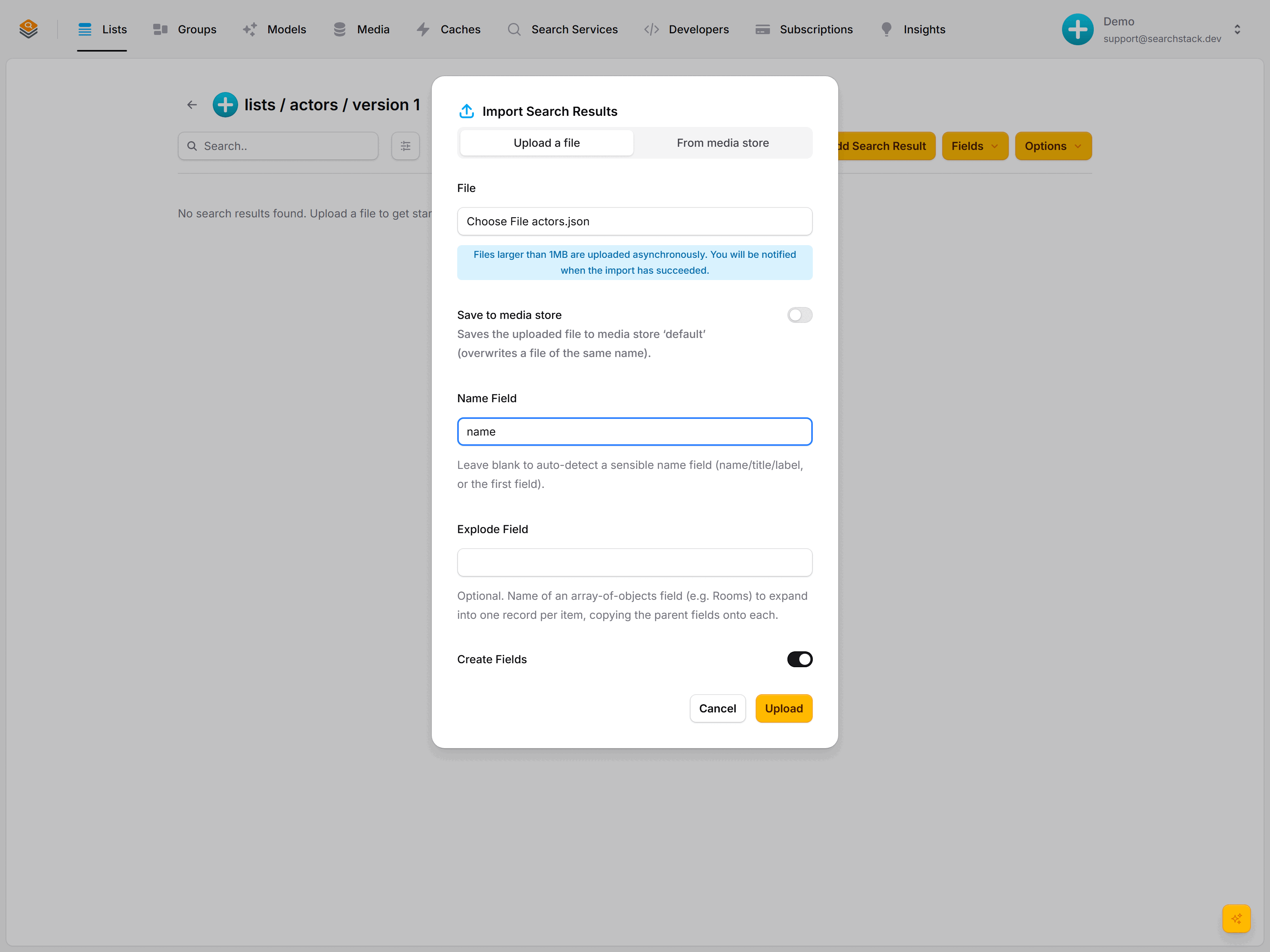
Create a list called actors, open it, click Import (the upload icon), choose your file and set two things:
- Name Field: which field is the result's name. Here it's
name. (Leave it blank and Search Stack picks a sensible one for you.) - Create Fields: leave this on and Search Stack reads your file and sets up the fields automatically, so you don't have to add each one by hand first.
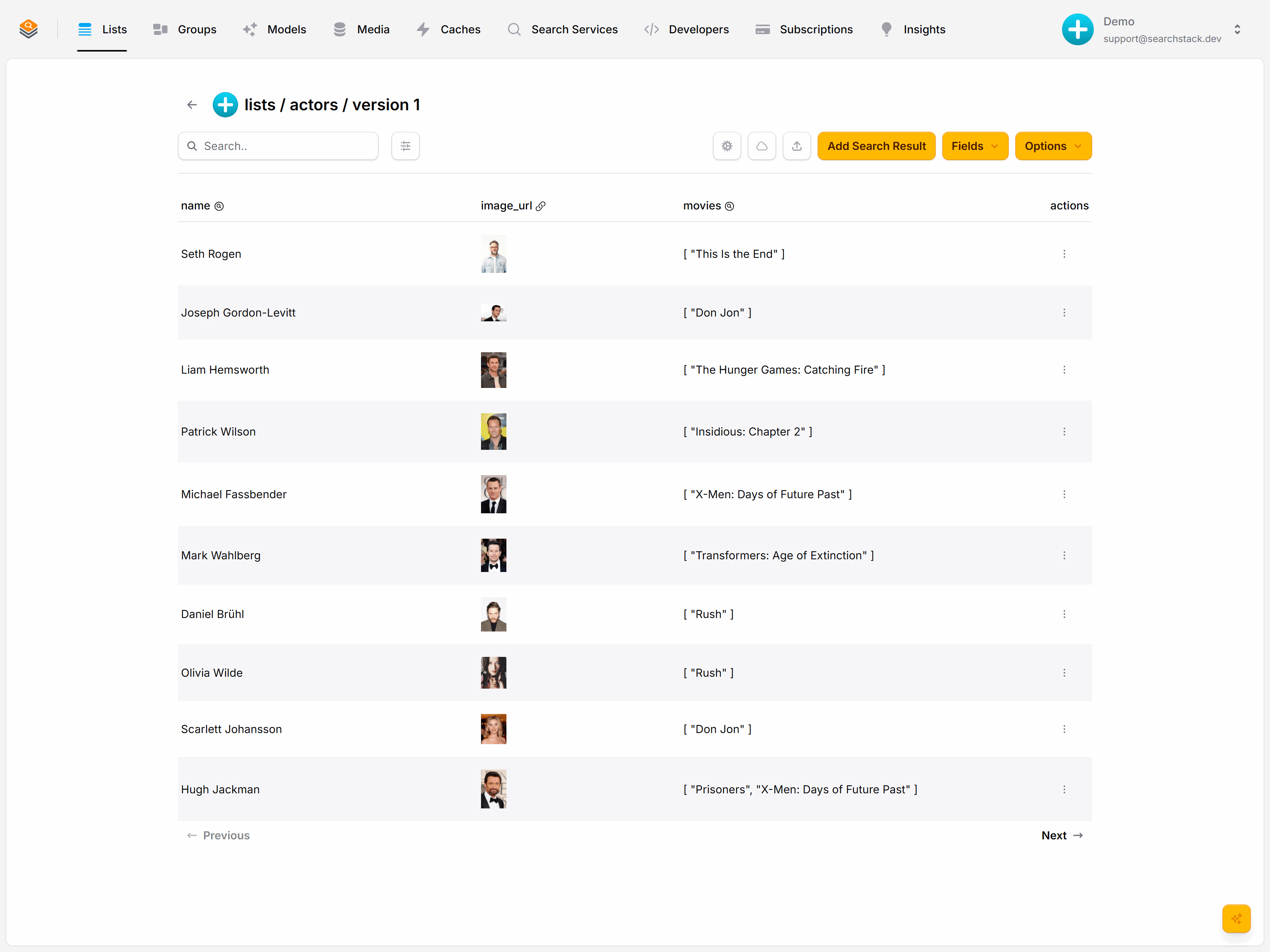
Click Upload. Every field is created and typed for you: image_url as a resource (note the image previews), movies as searchable text.
Or from code
Post your JSON array to the with-fields endpoint and any new fields are created from the data:
POST https://api.searchstack.dev/search-result/Demo/actors/with-fields
X-API-Key: {your key}
Content-Type: application/json

[ { "name": "Jennifer Lawrence", "image_url": "https://…", "movies": ["…"] }, … ]- Files over 1 MB import in the background; the records appear when it finishes.
- Keep the file in a media store and Search Stack re-imports it automatically whenever it changes.
Moving records
To move records between lists — films graduating from movies into a classics list — insert them into the target, then delete exactly those from the source:
POST https://api.searchstack.dev/search-result/Demo/movies/delete-by-ids
X-API-Key: {your key}
Content-Type: application/json

{ "ids": ["b71b7c9c4f2e4c98", "e2a1…", "9f04…"] }
{ "deleted": 3, "not_found": [] }- Removed straight away — no background job.
- Deletes the exact set you name, so a move never removes a film that merely matches a filter.
- An id already gone comes back under
not_foundrather than as an error, so the call is safe to retry. - Maximum 100 ids per batch. For open-ended clear-outs (“delete everything before 1970”) use delete-by-filter.
Ask Claude to “move these films into a classics list” and it runs exactly this over the MCP tools.
Auto-reimport, media stores and the in-console file editor: the Media stores reference. The full delete family: the Lists reference.