
Contributors
A contributor is another Searchability account you allow to add and change records in one of your lists — your content team’s account, for example.
- Each contributor signs in with their own login. No API key is shared.
- Added and removed one at a time, from the list’s Options menu or over the Contributors API.
- Removal takes effect immediately, for both the console and the API.
What a contributor is
A contributor is another account you let write to one of your lists — how a team works on the same data without sharing an API key: each person uses their own login, and you can revoke any of them independently. Add one from the list’s Options → Add Contributor.
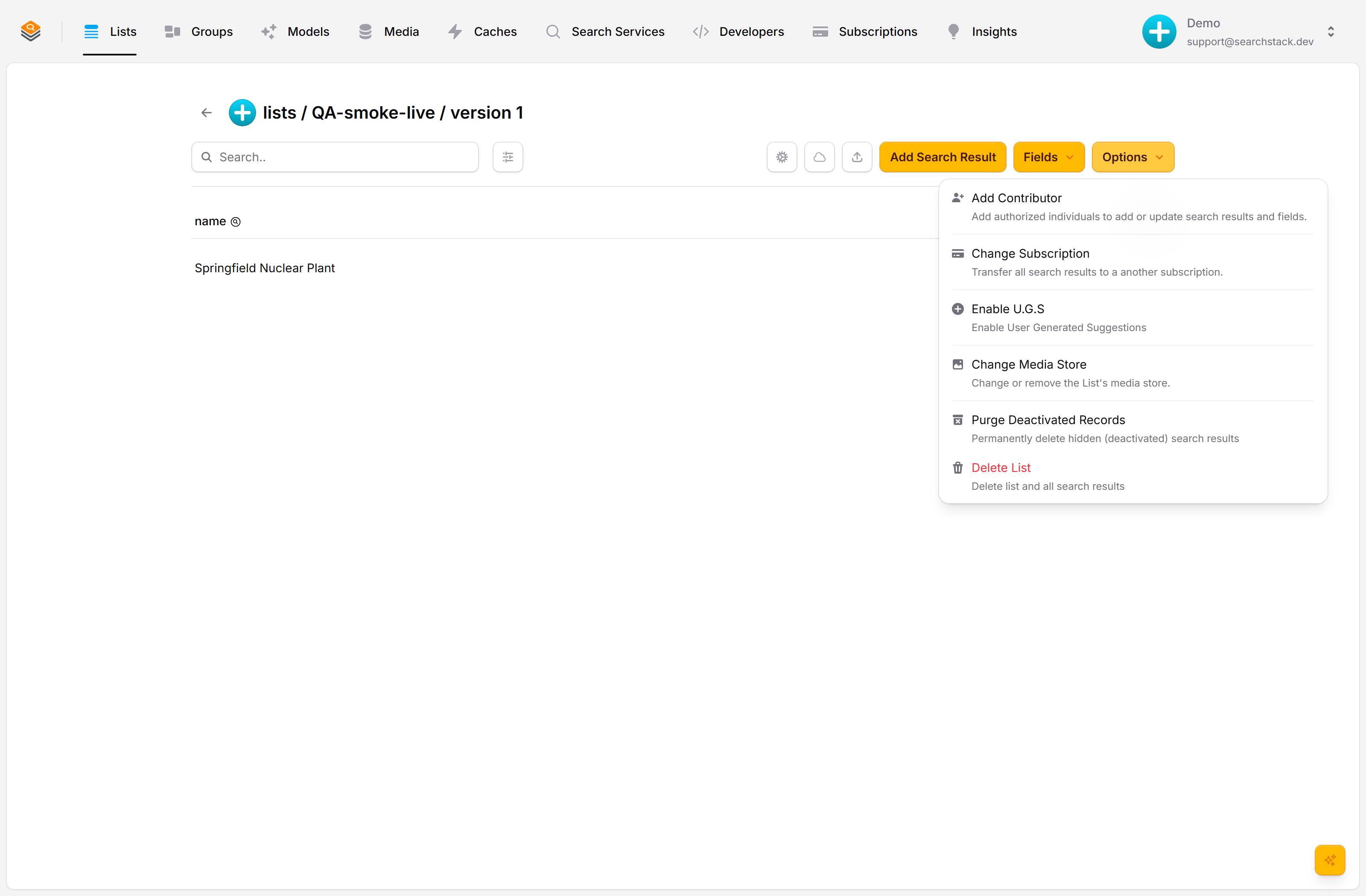
Invite by account name
Enter the account name to invite (the box autocompletes). They can add, edit and delete records and add new fields on this list — but only the owner can make breaking changes (renaming or removing fields), delete or transfer the list, or manage its contributors. Revoke access at any time and it takes effect immediately, in both the console and the API.
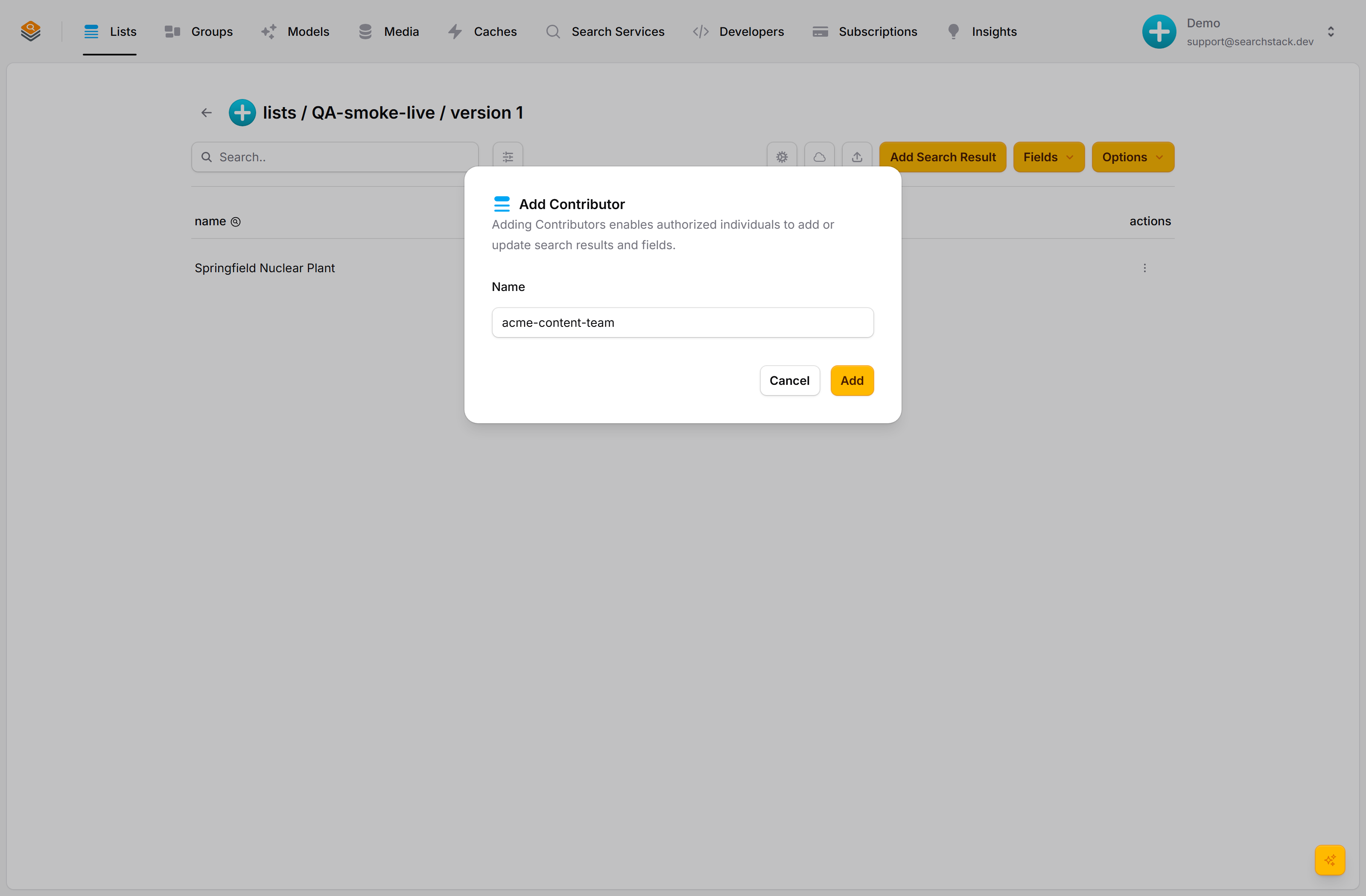
Auto-plays · use Back / Next to step through at your own pace.
Add a contributor
- Open the list and choose Options → Add Contributor.
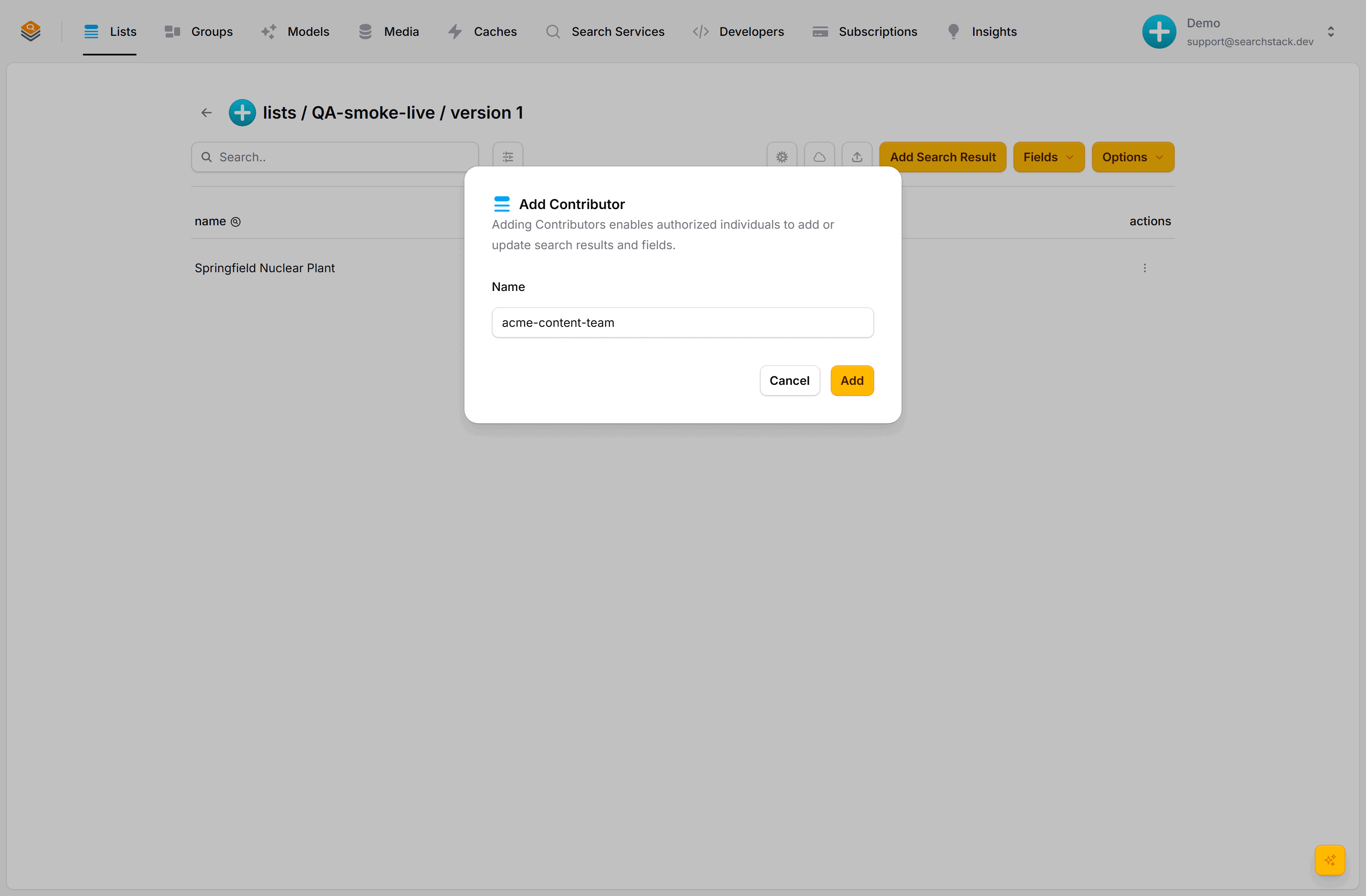
- Type the account name to invite; the box suggests matching names as you type.
- Click Add. They can work on the list immediately, with their own login.
What a contributor can and can’t do
Contributors change the data; only the owner changes which fields the list has or who has access to it.
| Action | Owner | Contributor |
|---|---|---|
| Add / edit / delete records | Yes | Yes |
| Add new fields | Yes | Yes |
| Rename / remove fields (changes that can break things built on them) | Yes | No |
| Read the list’s analytics, including what visitors searched for | Yes | Yes |
| Read the analytics of an owner’s group whose lists are all shared with you (its whole history) | Yes | Yes |
| Delete or transfer the list | Yes | No |
| Manage contributors | Yes | No |
Typical scenarios
- A content team keeps a product catalogue fresh while the technical team owns the fields.
- An outside agency loads seasonal data without ever holding the owner’s API key.
- A test account is given temporary access during a data move, then removed when it’s done.