
Embedding Models
An embedding model gives your search a sense of meaning: without one, search matches words; with one, it matches meaning.
- Each record becomes a list of numbers — a numeric fingerprint of its meaning — so similar meanings sit near each other.
- “Running shoes” then brings up “trainers”, and “laptop for travel” finds a “lightweight ultrabook” — matches with no words in common.
- You bring the model, with your own API key.
What an embedding model does
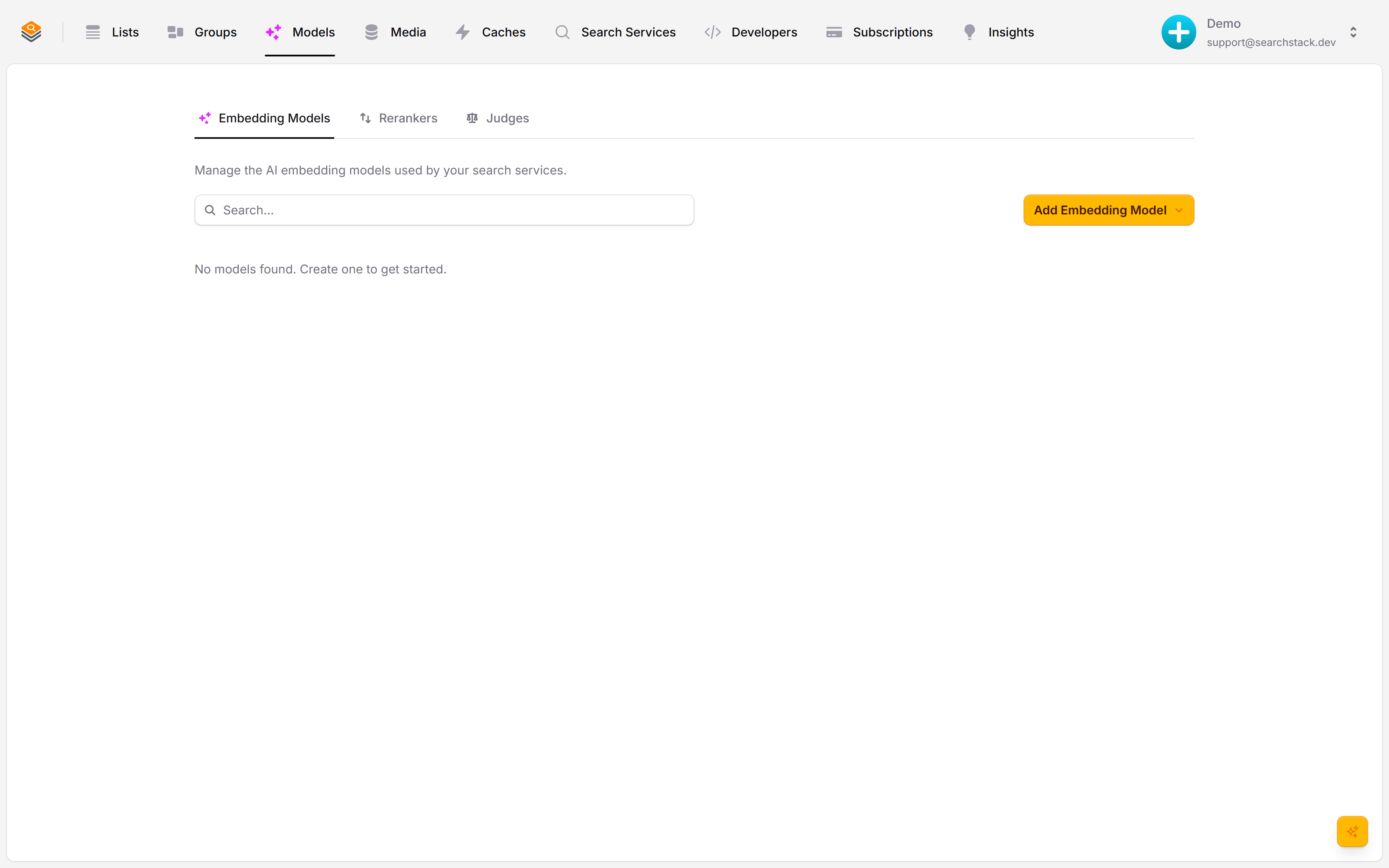
An embedding model gives your search meaning. It turns each record into a list of numbers that captures what it is about, so a search for “running shoes” can also find “trainers”. Without one, search matches words; with one, it matches meaning. They live under Models → Embedding Models.
Add one, bring your own key
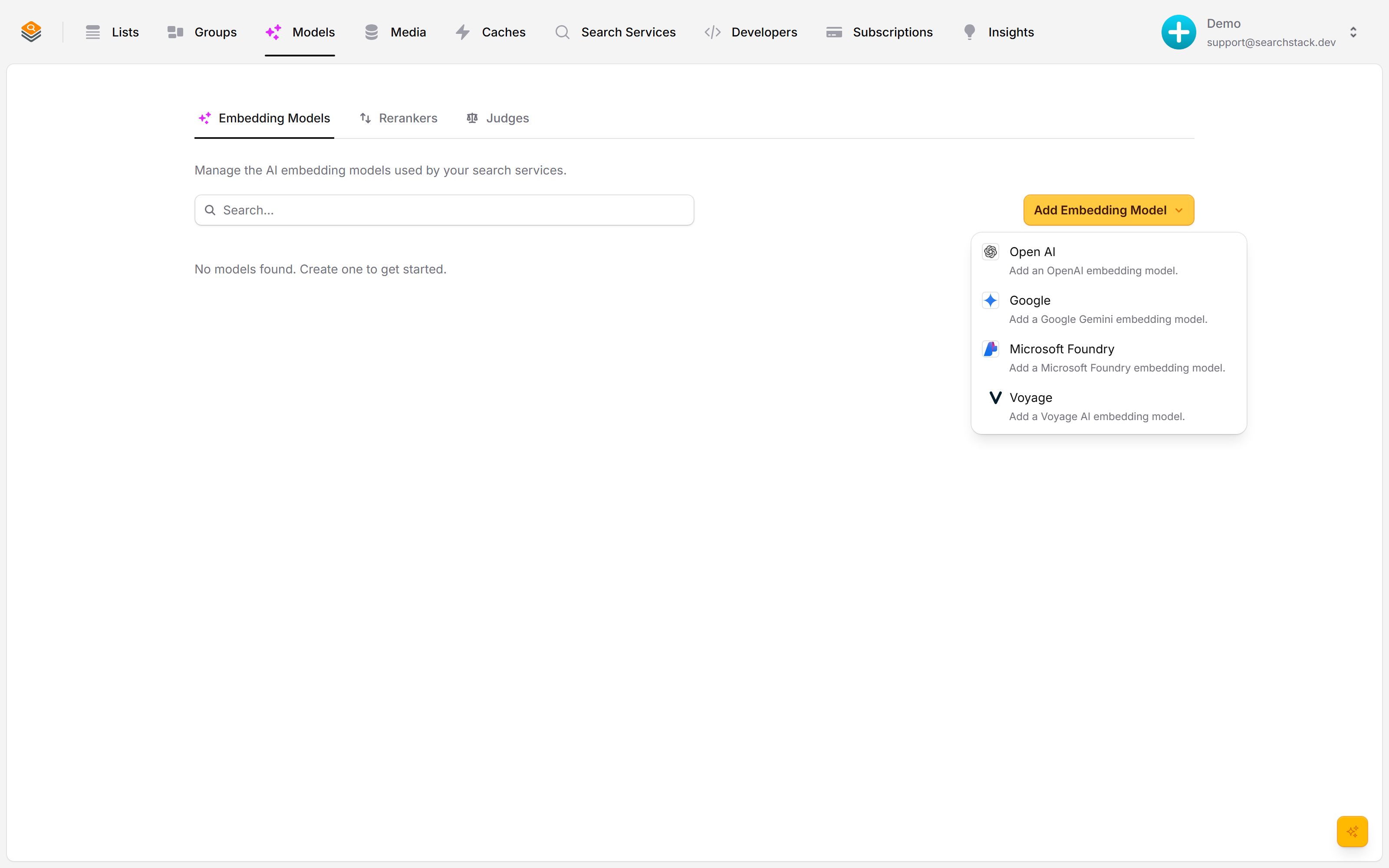
Click Add Embedding Model and pick a provider — OpenAI, Gemini, Voyage or Microsoft Foundry. You bring your own API key, so embedding runs on your account: your models, your limits, your bill.
Pick a model, attach it to a list
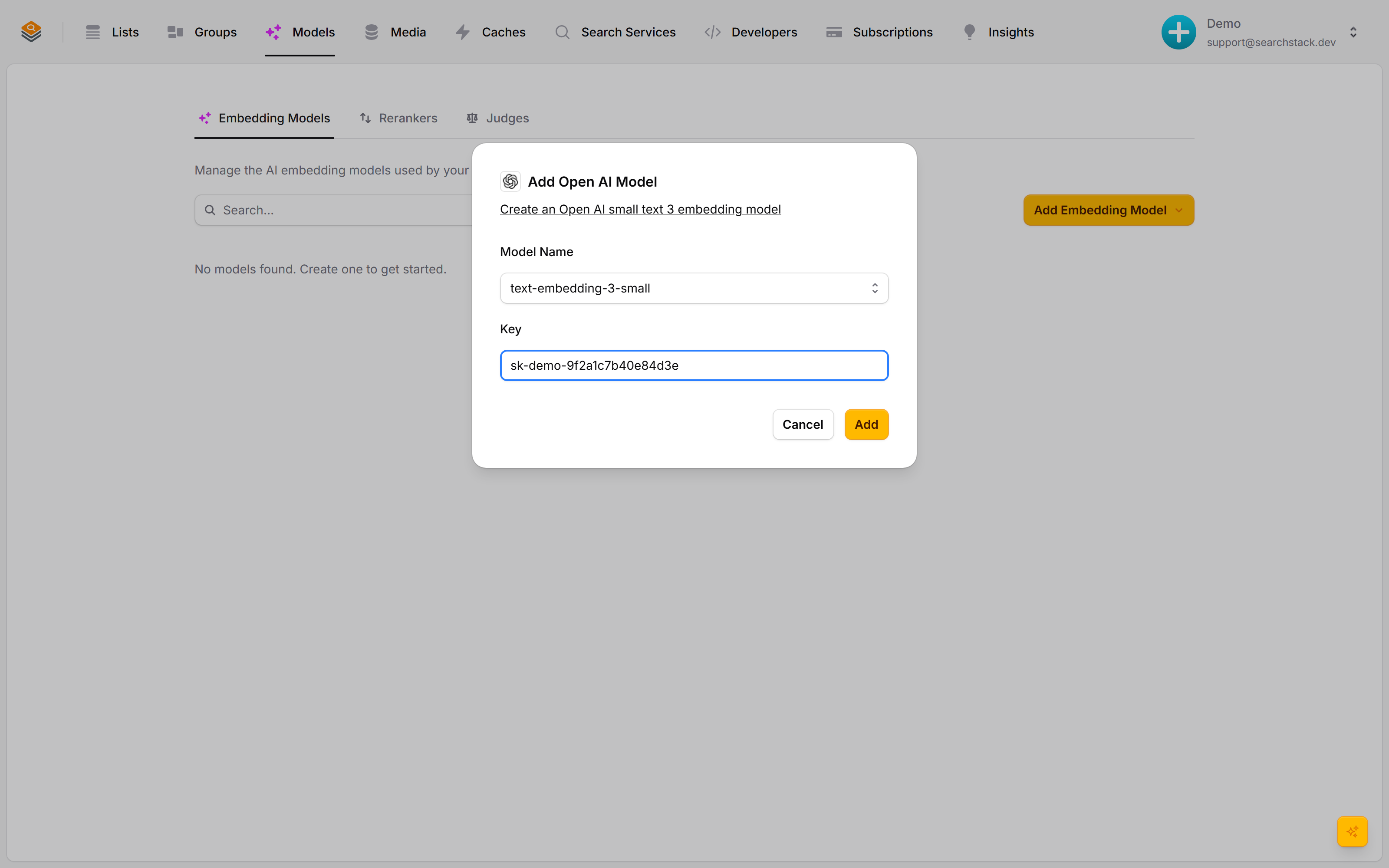
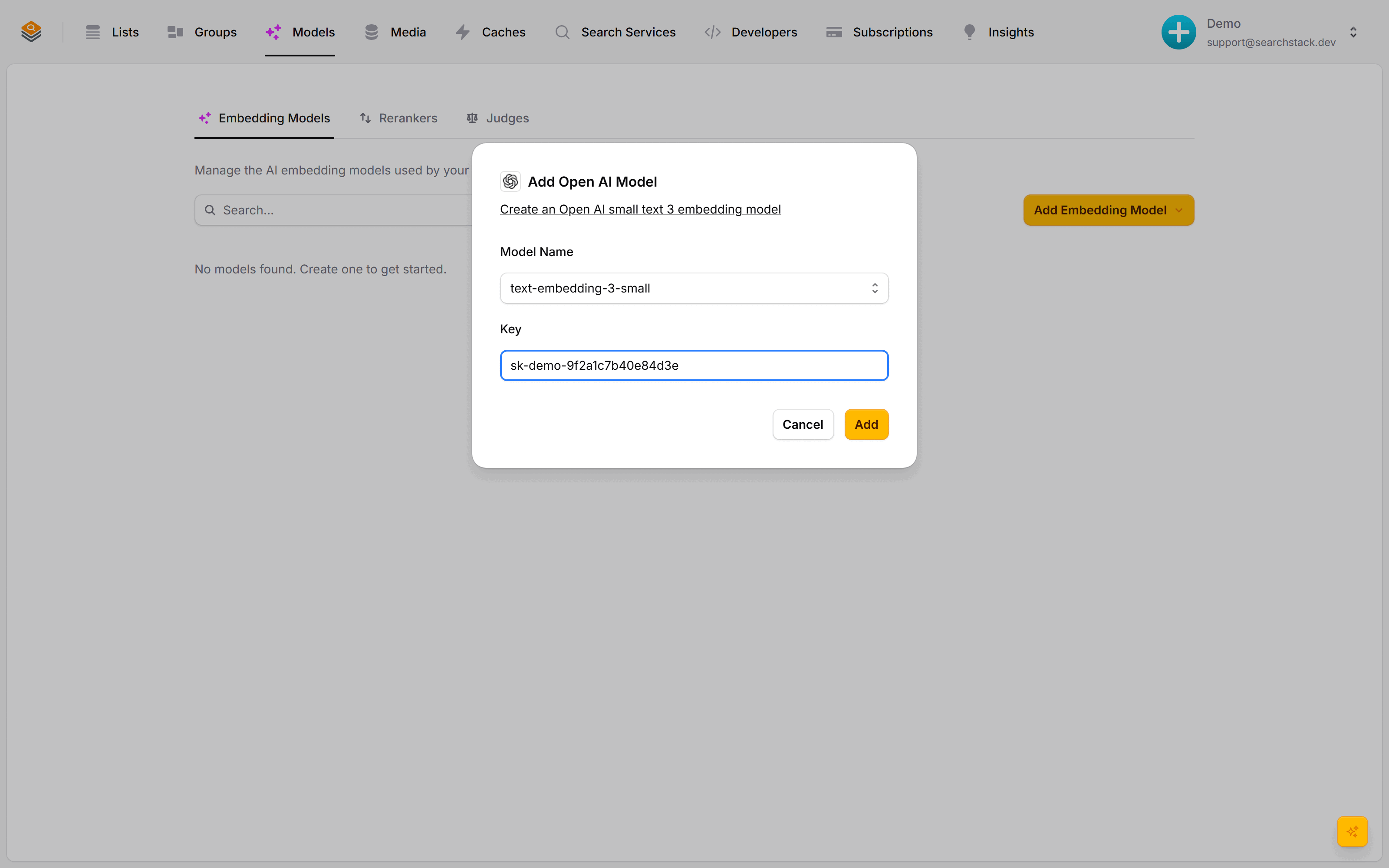
Choose the model and paste your key — checked with a live call before it is saved. Attach the model when you create a list, or add it to a group later: records re-embed in the background with no search downtime while the change settles in.
Auto-plays · use Back / Next to step through at your own pace.
Add an embedding model
- Go to Models → Embedding Models and click Add Embedding Model.
- Pick a provider: OpenAI, Gemini, Voyage or Microsoft Foundry. Embedding runs on your own key: your models, your limits, your bill.
- Choose the model and paste your provider API key. The key is checked with a live call before it is saved.
- Click Add. The model can now be attached to lists and groups.
Attach it: what meaning-based search unlocks
Attach a model when you create a list, or add one to a group later. Once records have fingerprints:
- Meaning-based matching: “warm winter coat” also finds a “padded parka”.
- Related results: “more like this”, from the records closest in meaning.
- Image and multimodal search: with a model that reads images too, search by picture as well as words.
Changing the model happens in the background
- Every record needs a new fingerprint — minutes on a large list — so it runs as a background job on a list and a group alike. Change List Model saves and closes straight away.
- Search keeps working throughout: records not yet re-fingerprinted are still found on their text.
- On a group the switch is all-or-nothing — it keeps searching with the old model until every list has caught up. No half-way state.
Re-imports and monthly budget
- A re-imported record whose fingerprinted text has not changed keeps its fingerprint — no new call to your model. Only new and changed records are sent.
- Monthly budget… on a model’s ⋯ menu caps the tokens it embeds for imports in a calendar month (UTC), and shows roughly what it has used so far. Empty means no limit.
- At 80% the account owner gets an email. At 100% a second email, and new or changed records are saved without a fingerprint until next month — still found on their text. Raise the budget, then rebuild (below).
- Usage is estimated at about four characters per token; your provider’s bill is the exact figure.
Records with no vector
- Causes: the provider refused, rate-limited or could not be reached; the budget ran out; the list’s model or its credential was deleted or unreadable; or a model change’s rebuild could not start. Account health shows the list and the reason.
- Fix the cause first, then rebuild: Options → Rebuild vectors… on the list, Rebuild after fixing it on the Account health row, or
POST list/{account}/{list}/rebuild-vectors(MCPlist_rebuild_vectors). - A rebuild re-embeds every record with the same model and key. It is queued; the list’s
records_without_vectorsupdates a few minutes after it lands. GET list/{account}/{list}returnsrecords_without_vectors(null until counted) andvectors_incomplete_reason(null when nothing failed).