
Searching
Give a list a query; get back the records that best answer it, best match first.
- Word matching — records containing the words the visitor typed, typos forgiven. A forgiven typo widens what matches, never what ranks first: a record holding the word itself always outranks one that merely came within a letter of it.
- Common words (“a”, “the”, “to”) are skipped, except the last one when nothing follows it: it may be the start of a word, so “a” finds ALBERT STREET.
- Meaning matching — what people mean rather than what they typed, so “jumper” finds a record that only says “sweater”. Switched on by attaching an embedding model, which turns each record into a numeric fingerprint of its meaning.
- Both run on every search, never one per query, and the strongest matches win.
- Neither finds a word your records lack — that is a synonym, applied to the query on the next search, nothing re-indexed.
- The console’s list search box runs this engine. Live examples: meaning-based search, document search.
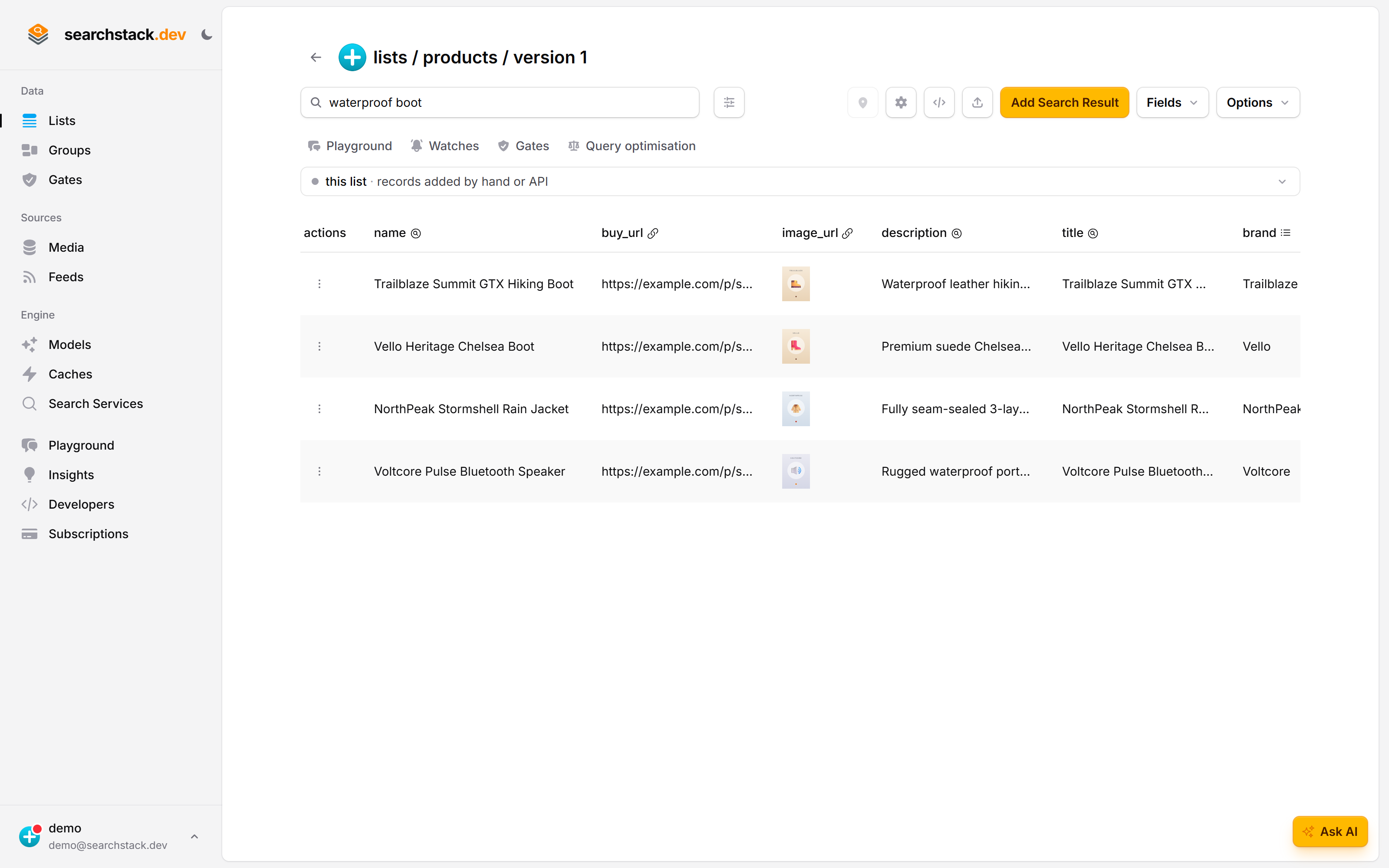
Every list has this engine behind its search box
The box at the top of a list runs the same search your API calls run, over the same records and the same version. It is the quickest way to try what this page describes against your own data: type a query and see what comes back, best match first.
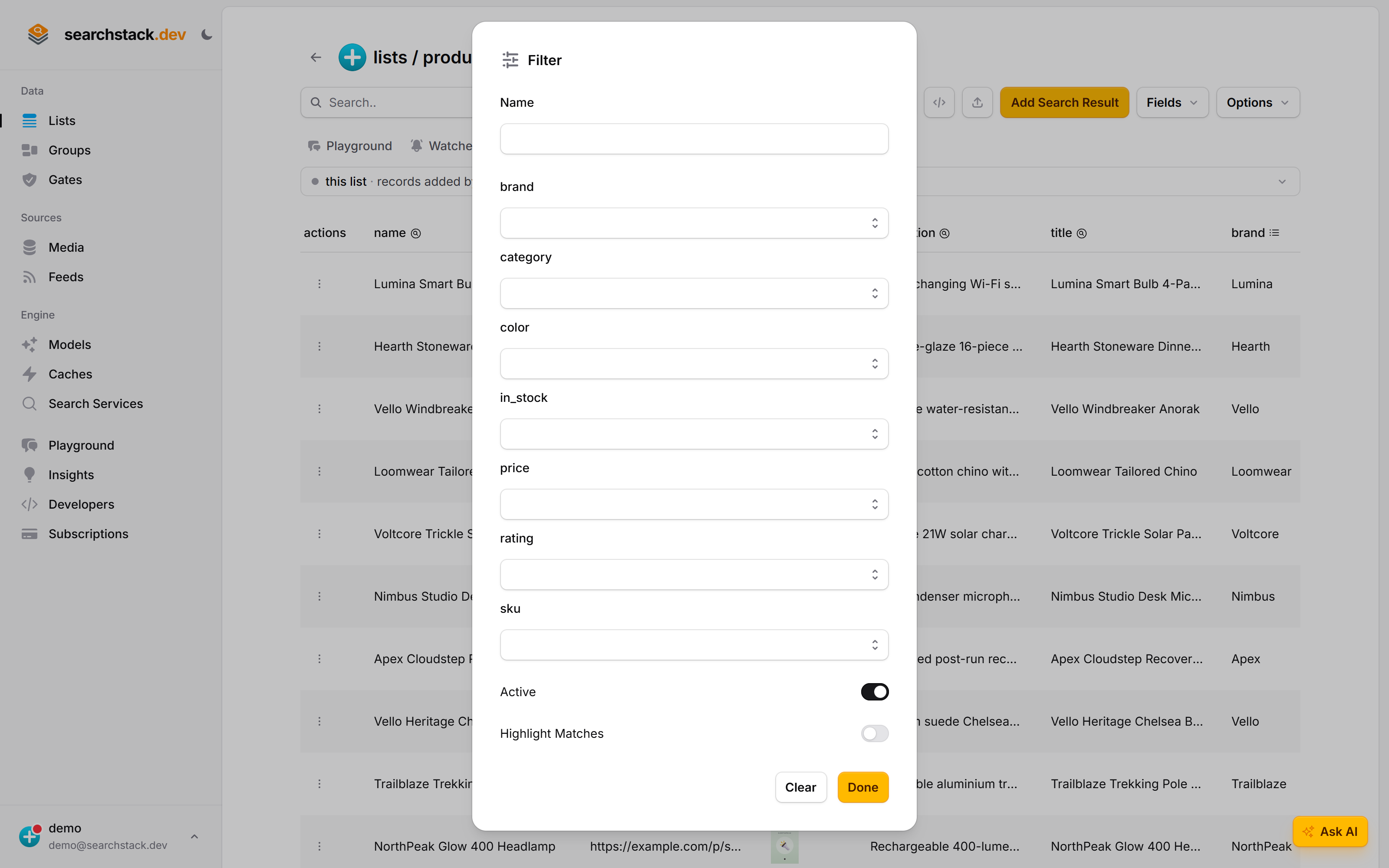
The filter panel is the filter option with a form around it
The sliders icon opens a filter built out of the list’s own facet fields, so you can narrow by brand, category, price or stock without writing an expression — and see straight away which fields are filterable at all. Whatever you build here is the same narrowing the filter option does on the API.
The basic request
One address per list. Send your key in an X‑API‑Key header (create one on the console’s Developers tab; see API keys); the version in the path says which version of the list’s fields you are searching.
GET https://api.searchstack.dev/search/{account}/{list}/{version}?query=inception- Groups —
/search/group/{account}/{group}/{version}searches several lists as one: same options, results merged. latest— groups only. Always the group’s current version, surviving a version move or a recreation; a version number fixes the records searched.- Query rules run first — a list’s query rules spot a postcode, a barcode or an order number and turn that part of the query into a filter, so
flat 2 zz1 1zznarrows to a postcode instead of matching four words. With no rules, the text is searched as it arrived. POST— both forms also take the same options as a JSON body.
POST https://api.searchstack.dev/search/{account}/{list}/{version}

{
  "query": "cordless drill",
  "filter": "in_stock eq true",
  "size": 20
}
How results are ranked
- A score per kind of match —
@text_scorefor words and meaning, plus@image_score,@document_score,@video_score,@audio_scorewhere attached files played a part. Each is 0 to 1, 1 being perfect; a missing score means that kind played no part. - Strongest score wins, so a strong meaning match is not held back by a weak word match. With no embedding model, word-match relevance decides.
- A reranker on the list or group re-orders the top results by how well they fit the query — for “warm waterproof jacket”, the jackets that really are both. Automatic;
reranker=falseswitches it off for one request. order_bysorts by fields instead:order_by=price asc, modified_utc desc. Sortable arename,created_utc,modified_utcand any facet of cardinalitySingle. AManyfacet cannot be sorted on. Up to 8 terms, each field once.ranking=nonereturns records in the order the engine stores them — for filtered browsing.
To judge results against a written instruction after the search (“only family-friendly titles”), use a judge; that is not a ranking option.
Asking for a set instead of a ranked page
By default any one of your words can match — right behind a search box, wrong when you need the set. A cast field searched for Anne Hathaway matches every “Anne”, “Ann” or “Hathaway”: around 480 films, about 20 of them hers. The first page looks right; the total, the later pages and any non-relevance sort do not.
match | A record matches when… |
|---|---|
any (the default) | it contains any one of the words. Best for a search box. |
all | it contains every word, in any order. |
phrase | it contains the words together and in order. |
GET https://api.searchstack.dev/search/{account}/{list}/{version}?query=Anne%20Hathaway&match=phrase- Returns her films and a
total_countof 20 — a real total, pageable to the end, sortable by release date. phraseis exact. Typo tolerance does not apply. Useallfor every word required but still forgiving of a misspelling.- Synonyms still help — a rule expanding “flick” to “movie” is a second way to match, never a second thing to contain.
The managed engine supports this. A search server you bring yourself that cannot refuses the request rather than quietly running the any search and returning a total that counts near-misses. The supports_match_mode flag on the providers list says which is which.
Finding records by meaning
With a model on the list, results are ranked by meaning, but a record still has to share a word with the query to be found at all. A question in Danish never reaches the English page that answers it.
mode | Which records can be found |
|---|---|
keyword (the default) | records sharing a word with the query, ranked by meaning. Unchanged from before. |
blended | those, plus the records nearest the query by meaning, as many as the page (at least 10), even with no word in common. The two rankings are merged (reciprocal-rank fusion). |
GET https://api.searchstack.dev/search/{account}/{list}/{version}?query=hvordan%20krediterer%20jeg&mode=blended- Needs a model on the list. Without one, or with
vector_search=false, the search runs askeyword. - Explicit
order_bywins: a sorted search runs askeyword. total_countadds the records found by meaning alone.- Ask takes the same
mode.
The managed engine supports this. A search server you bring yourself ignores it and searches by keyword.
Every option
| Option | What it does |
|---|---|
filter | Keep only records whose facet values match. Syntax on the Fields page. |
radius | Keep only records near a point. |
match | How much of the query a record must contain. |
mode | keyword (the default) or blended, which also finds the records nearest the query by meaning. |
order_by | Sort by field instead of relevance. |
minimum_*_score | Floors that drop weak matches. Start without them. |
select | Which of your fields to return, comma-separated. Omit for all. Only the fields bag narrows: id, name, list_name, version, the scores, distance, location, as_of and highlights always come back, so a narrowed hit is still one you can edit, delete and click-track. |
typo_tolerance, vector_search, reranker, cache | On by default; switch any off for a single request. |
Every type and default is in the API reference under Search, generated from the API itself.
The response
A ranked results list, counts, and a query_id to send to the click endpoint to record which result the visitor chose. Each result carries:
- The engine’s own members at the top level —
idfor edit and delete calls,nameas the human-friendly key, an@*_scoreper kind of match, anas_offreshness stamp, anddistanceandlocationon a radius search. - Your own fields nested under
fields.
Full shape in the API reference under Search. About as_of:
- An ISO 8601 date and time: when the record was last written or synced from its source.
- Absent when the engine did not report one.
- Results are fresh but not guaranteed — for fast-changing fields such as price and stock, confirm the record before acting on it.
Empty results and errors
| Status | Means | Do |
|---|---|---|
200 with results: [] | Nothing matches. Never sent when the search could not run. | Show “no results”. |
503 | The search service is busy, starting up or timed out. May carry Retry-After (seconds). | Retry after the wait; don’t show “no results”. |
4xx | The request is wrong (bad filter, unknown list or group). | Fix the request. |
Filterable fields come back as arrays
A filterable field is always a list of values, even when it holds one, because it is allowed to hold several. Searchable text fields (title, description) and resource fields (image_url) stay single values.
"fields": {
  "title": "Lumina Smart Bulb 4-Pack",
  "brand": ["Lumina"],
  "price": [49],
  "in_stock": [true]
}
Printing a one-value list works by accident (${record.price} shows 49), so a template looks correct until something compares:
if (record.in_stock === true)     // never true: [true] is not true
if (record.category === 'Home')   // never true: ['Home'] is not 'Home'
Read the first value, and the same code works for one value or several:
const one = v => Array.isArray(v) ? v[0] : v;

if (one(record.in_stock)) { /* … */ }
if (one(record.category) === 'Home') { /* … */ }
If you built against the API before 10 August 2026, this changed.
- Filterable fields used to be single values; only facets holding several values were lists.
- An equality check against the old form stops matching rather than raising an error, so it fails quietly.
- Search your templates for
=== 'and=== trueagainst facet names.
Search inside documents
A query matching what a document says finds its record, even when the record’s name and fields never mention it.
- Point a resource field at a PDF — a public URL, or a file in the list’s media store.
- When the list’s embedding model can read documents, indexing takes the PDF’s content into account automatically.
- These matches score under
@document_score, with a floor inminimum_document_score. - Models read PDFs one of two ways, chosen automatically: a model that reads documents takes the pages directly, up to its page limit; any text model reads the text out and matches on that. Nothing to transcribe either way.
GET /search-result/document-text/{account}/{list}/{record-name}pulls the text back out per document — for a matching passage, a summariser, a preview pane — with a page count and a per-documenterrorfor any file that could not be read.
PDF is the supported document format today. Text comes back up to the max_pages limit, and the list must have a model attached. Shape and limits are in the API reference under Search Results.
A worked example
A papers list — searchable title and summary, facets year and category, a document_url resource per PDF, a model that reads documents. One search for “training image models without labels” returns:
- Words — titles that say so.
- Meaning — papers phrased as “self-supervised visual pretraining”.
- Documents — one whose title says nothing of the sort, because page four of its PDF does.
Opening one calls document-text for the passage.
The rest of the search family
- Image search: query with a picture instead of words.
- Suggestions: the as-you-type endpoint that powers autocomplete (type “run” and see “running shoes”).
- Related results: “more like this one”, starting from a record instead of a query.
- Judges and Evaluations: filter results against a written instruction, and measure search quality over time.