
RSS Feed
Make any RSS or Atom feed searchable — a blog, a news site, a podcast, a release-notes page, a job board.
- You supply only the feed’s URL. RSS and Atom are public formats, so there is nothing to sign in to.
- Every item becomes a record; new items appear on the next sync. No export, no upload, no code.
- Syncing, linking a list and deleting are on the Feeds reference.
Feeds → Connect feed → RSS / Atom
Every kind of feed starts in the same place, and the menu says in one line what each one is for. RSS / Atom keeps a list in sync with any feed URL.
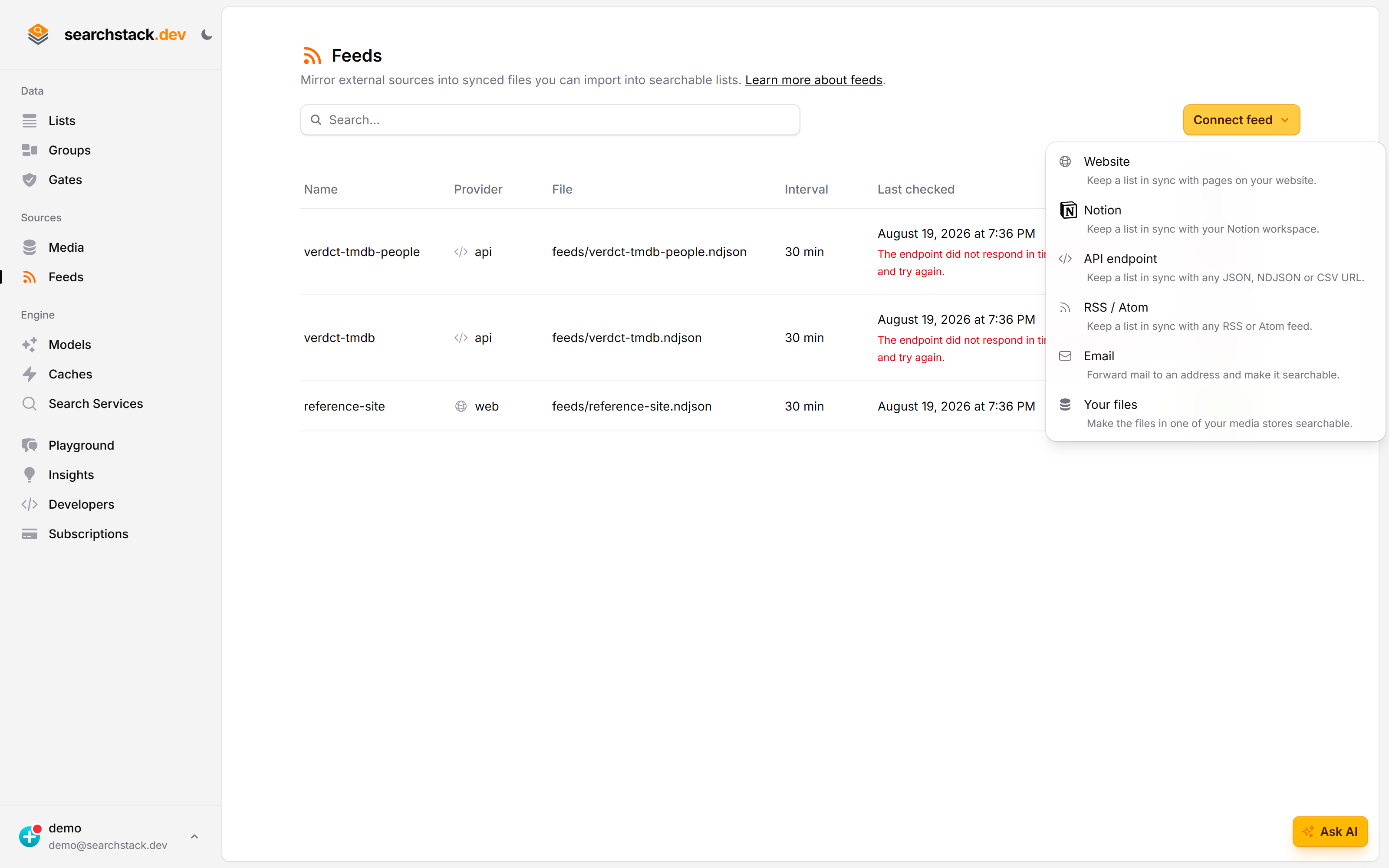
Paste the feed URL — that is all of it
A name, a media store for the synced file, and the feed address. The link at the top of the dialog spells out what ends up in each record, so you know what you will be searching before you connect anything.
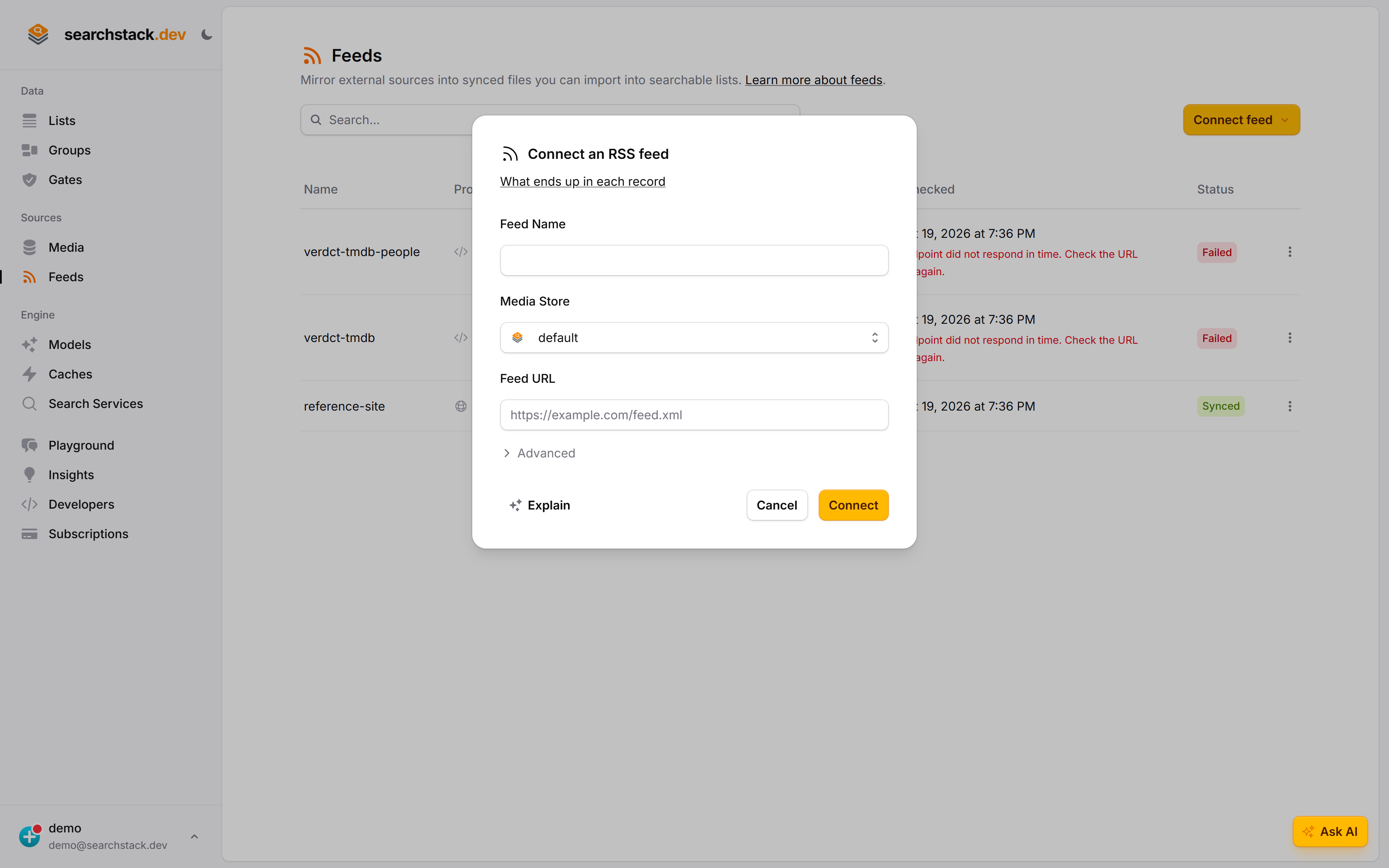
Connect a feed
- Feeds (under Sources in the sidebar) → Connect feed → RSS / Atom.
- Name it and paste the feed URL — the feed itself (often ending in
/feed,/rssor.xml), not the site’s home page. - Choose the media store for the synced file (your built-in store by default).
- Connect. We fetch the feed there and then, so a wrong URL, a page that isn’t a feed, or a feed with no items is caught immediately. The first sync starts right away.
The feed then keeps feeds/<name>.sync up to date in your media store. Point a list at that file with keep-in-sync on and the items are searchable.
What ends up in each record
Each item (RSS) or entry (Atom) becomes one record, from the feed’s standard fields — nothing to set up:
| Record field | From | Role |
|---|---|---|
| name | the item’s title | the record’s display name |
description | content / content:encoded, else description / summary (HTML formatting removed, leaving readable text) | searchable & embedded (used for meaning-based search) |
url | the item’s link | resource (the page to open) |
published_at | pubDate / updated, converted to a standard date format (ISO-8601, UTC) | facet (filter & sort by date) |
categories | the item’s category tags, comma-separated | searchable |
author | author / dc:creator | facet |
source_title | the feed’s own title | facet (filter by source in a multi-feed group) |
The item’s guid (its unique id in the feed — or its link, if it has no guid) is the record’s stable identity, so an edited item updates in place instead of duplicating.
A feed only shows the latest items
A feed lists only its most recent items — a blog’s might show the last 20 posts. So the RSS feed is add-only:
- Each sync adds new items and updates changed ones.
- Items that drop out of the feed are kept in your search, so your archive grows over time.
- To remove a record, delete it from the list directly.
How new items are picked up
- Each check compares the feed’s item ids and dates. Nothing added or changed means nothing is saved — a moving “last built” time causes no needless work.
- A new or edited item triggers a fresh sync.
- Syncing runs on a schedule: as often as every 5 minutes, 30 by default.
- The URL must be a public, named host. IP addresses,
localhostand intranet names are refused;httpandhttpsboth work.