
Retention
How records leave a list on their own — job adverts that stop showing 30 days after posting, and are deleted for good a month later.
- On a list under Options → Retention. Each setting is a switch first, a number second, and both are off on a new list.
Options → Retention
A list keeps every record for ever unless you say otherwise, and the dialog says exactly that rather than leaving you to work it out. It also names the two steps up front: expiry deactivates a record so it stops appearing in searches, and deleting is the separate second step, which cannot be undone.
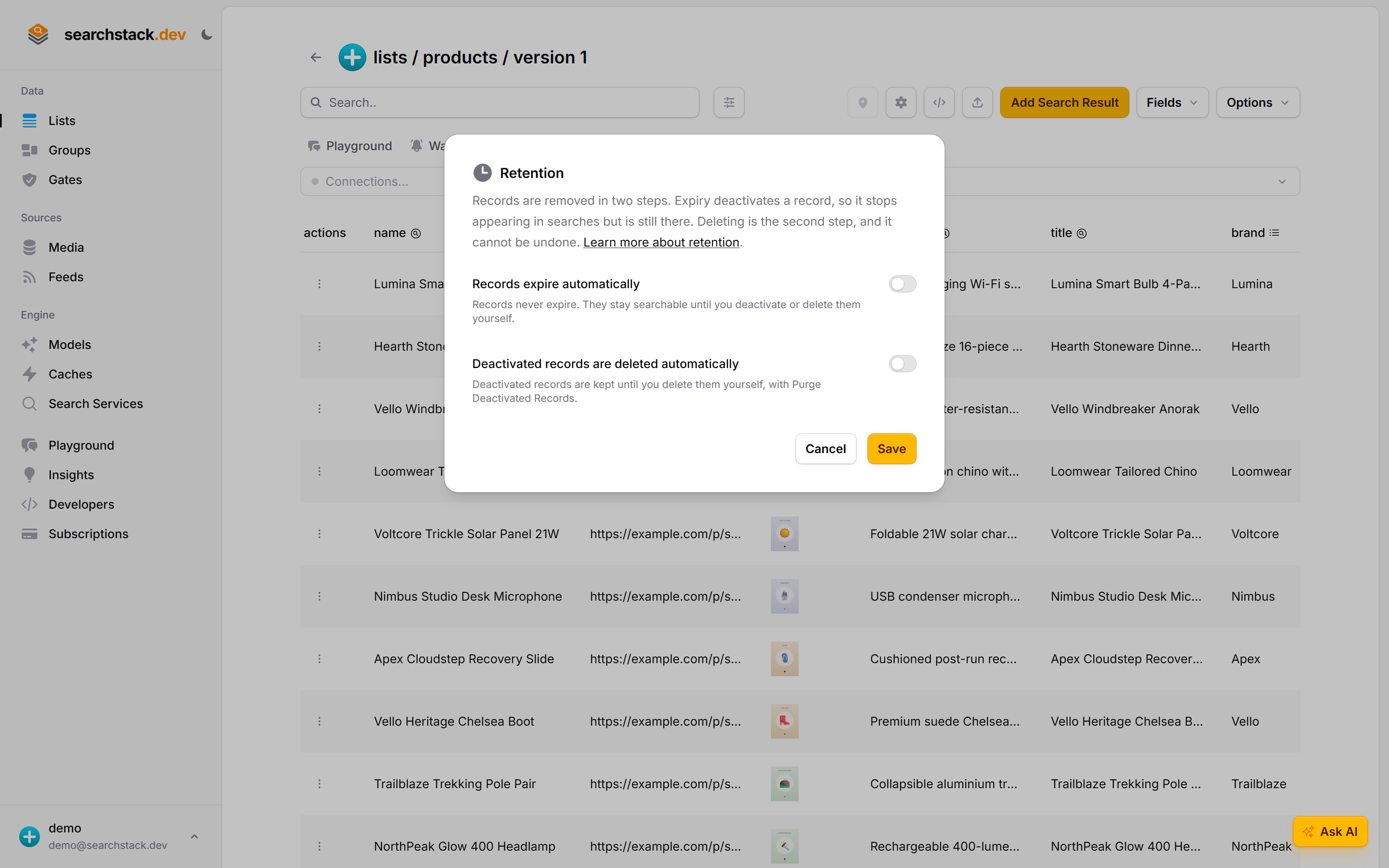
Two switches, two different promises
Switch on Records expire automatically and records stop being searchable once they reach the age you set. Switch on Deactivated records are deleted automatically and the hidden ones are eventually removed for good. Leave that second one off and nothing is ever deleted without you asking — Purge Deactivated Records, on the same menu, is the deliberate version.
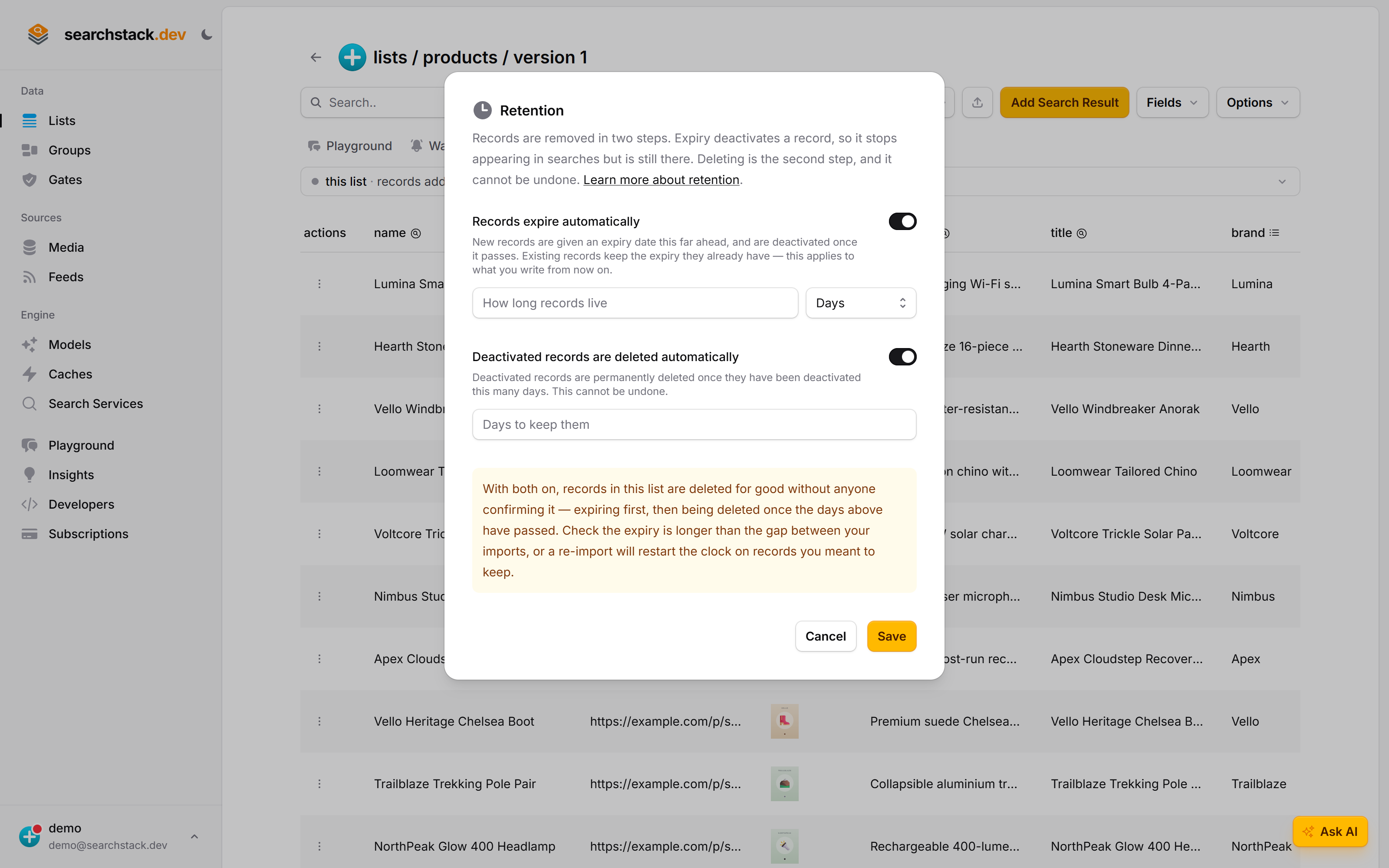
Records are removed in two steps
- Expiry deactivates a record — it stops appearing in searches but is still there and can be reactivated.
- Deleting empties the bin — permanent, no undo.
- Either alone leaves a way back: expiry only hides records, automatic deleting only reaches already-deactivated ones. Both on removes records for good with nobody watching.
0 means off
0 turns off both settings and the per-record expiry below; negative numbers do the same. Code sending default_ttl_seconds: 0 for “no expiry” gets exactly that.
Records expire automatically
- Set 30 days and every record written from then on stops showing 30 days later.
- A check runs every five minutes and deactivates the ones whose date has passed.
- Only what you write from now on. Existing records keep the expiry they were written with — turning expiry on does not reach back, and shortening it does not pull their expiry forward.
- Range when on: 5 minutes to 10 years.
Deactivated records are deleted automatically
- Set how many days a deactivated record is kept; a check runs daily, around 03:00 UTC, permanently deleting those deactivated for longer.
- It reaches every deactivated record, not only expired ones — records you deactivated yourself, and any removed by a media store’s delete policy.
- Range when on: 7 days to 10 years. To clear records sooner, purge by hand.
If your list is filled by a feed or a repeated import
- An expiry is stamped when a record is written, and a re-import writes every record it carries, so each sync restarts the clock.
- The trap is an expiry shorter than the gap between syncs: a daily sync with a six-hour expiry leaves the list empty eighteen hours in every twenty-four.
- Give the expiry room over that gap — a daily sync wants days, not hours. The Retention dialog says so when both halves are on.
Expiry on a single record
A record can carry its own expiry, overriding the list’s, on create and import alike:
ttl_seconds— how long this record lives, from when it was written.0means never expires, overriding the list default rather than falling back to it.expires_at— an exact date and time. It beatsttl_seconds, and is honoured even if it has already passed.- Omit both and the record takes the list default. On an edit, omitting both leaves the current expiry alone;
ttl_seconds: 0clears it.
Emptying the bin yourself
- Options → Purge Deactivated Records permanently deletes every deactivated record in the list, whatever its age. Active records are untouched.
- The confirmation gives a real count taken there and then. If the list has none, it says so.
Deactivated records still count
A deactivated record is hidden from searches but still stored, and still counts towards your plan’s record count and storage. Expiry frees nothing; deleting does, automatic or manual.
Over the API
Both are set on the list update call, in the dialog’s units — seconds for the expiry, days for the deactivated.
PUT /list/{account-name}/{list-name}

{
  "default_ttl_seconds": 2592000,
  "purge_inactive_after_days": 30
}0turns either off.- Omit a field and it is left alone; the two are independent.
- A list reads both back under the same names. A record’s resulting expiry comes back as
expires_at. - Full payload in the API reference under List.
Notes
- An out-of-range value is refused with a message giving the range, not rounded into it.
- Copied when you clone a list. The records are not.
- A list kept in step with a connected source is read-only: its retention is managed for you.
- Not deletion by filter: retention is for records that age out on a clock, a filtered delete for records you know you want gone.