
Cleaning
Cleaning tidies your records as they are imported into a list — by upload, from a media store, or through a feed.
- Your source data is never changed — everything cleaning produces goes only into the SearchStack index.
- Fixed rules give the same answer every time and are always on.
- AI extraction reads each record’s text for facets, and runs only with a cleaning credential.
Cleaning is a list’s tidying gates, already switched on
Open any list’s Gates page — the shield in the list header. The fixed-rule cleaning steps are the rows marked Tidying: standard dates, value normalisation, tag-noise stripping, de-duplication and category mapping, numbered in the order every arriving record meets them. They are marked On by default because nobody had to add them.
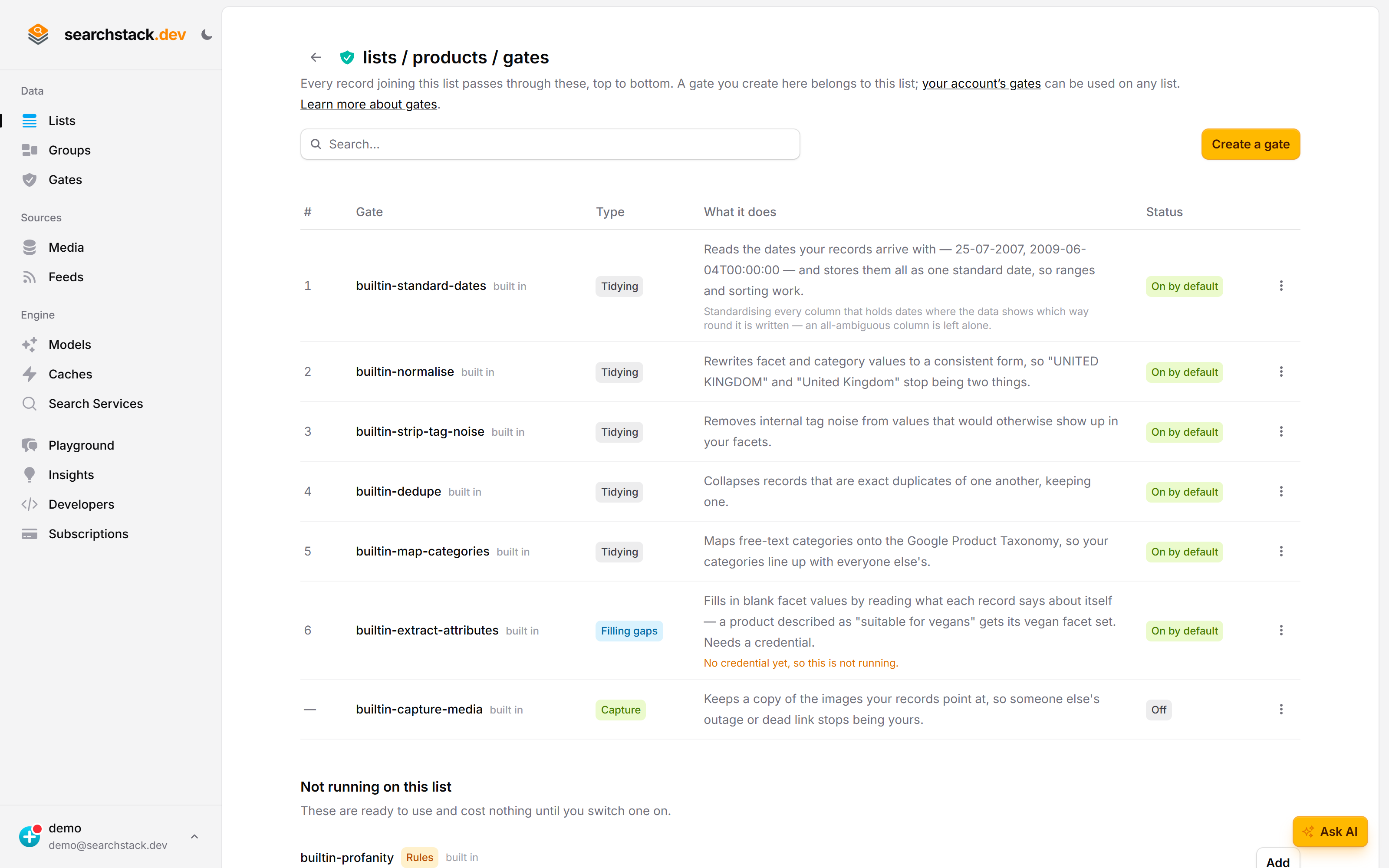
The AI half says when it is not running
Filling gaps is the extraction layer: it reads what each record says about itself to fill in blank facet values, so it spends money and needs one of your own provider keys. Until it has one the row says “no credential yet, so this is not running” rather than looking switched on. Set credential on the row’s ⋮ menu is where that choice is made, per list.
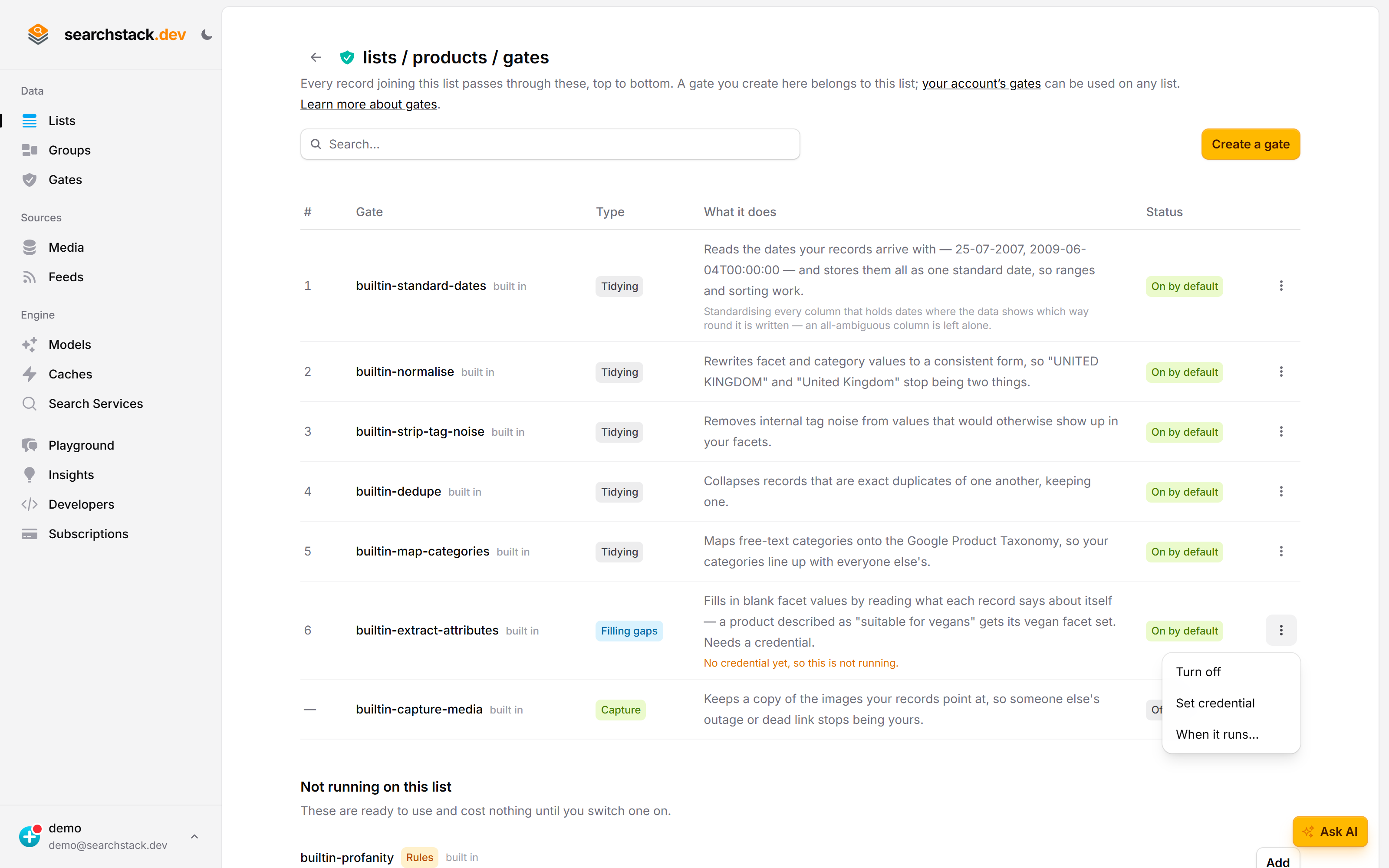
Fixed-rule cleaning (always on)
These rules need no AI and cost nothing:
- De-duplication. Records with the same name, supplier and size collapse into one. Near-matches — two “Air Max 90” rows from different suppliers — are flagged for you to confirm, never merged silently.
- Value normalisation. Facet and category values take one standard spelling: “UNITED KINGDOM” is searched and filtered as “United Kingdom”, “VIET NAM” as “Vietnam”.
- Tag-noise stripping. Internal housekeeping values leave your public facets — a tag like
CategoryProcessednever appears in a filter. - Category mapping. A built-in dictionary matches free-text categories to the Google Product Taxonomy (Google’s standard product categories) — “Mochi” becomes “Food, Beverages & Tobacco > Food Items > Candy & Chocolate”.
AI extraction (optional)
With a cleaning credential, cleaning also reads each record’s text (title, description, tags and so on) for facets you can filter on — vegan, gluten-free, and a Google category for products the dictionary missed. “Suitable for vegans” sets the vegan facet.
- Extracted facets only fill gaps — a value you supplied is never overwritten.
- Each extracted value is marked with where it came from.
- You never write a prompt: the task is created for you. The credential supplies only the API key and the endpoint (provider address) it runs on.
- Without a credential, extraction is off and only the fixed rules run.
Assign a credential to a list
- Save a credential first — a judge, reranker or embedding model on your own provider’s API key (BYO — bring your own).
- Open a list’s ⋮ menu, choose Cleaning credential (or set it when you create the list), and pick a saved one. None turns extraction off.
Cost: batch vs per-record
- Credentials marked Recommended — Anthropic and OpenAI on their default endpoint — batch records through the provider’s batch API, at roughly half the price. Others still work, one call per record.
- Extraction runs in the background and never holds up an import.
- Results are saved by content, account, credential and model: an unchanged record is extracted once, so re-importing costs nothing. A record whose text changes, or a new credential or model, extracts it again once.